
Count on several stations
Distribute counting tasks across several Android devices instead of making everyone share one terminal.
Let colleagues count on separate Android devices while consolidating counts and permissions on one main station.
The main station coordinates secondary stations. Each colleague uses an available station to count; results are sent to and consolidated on the main station.
Distribute counting tasks across several Android devices instead of making everyone share one terminal.
Find the same cashier accounts on every Android station in your establishment.
Counts made on secondary stations are sent to the main station, which monitors operations and coordinates closings.
If a main installation already exists, Monetec asks you to choose which operation to carry out before proceeding.
Pair a new Android device with the existing main station. An administrator receives the request and can authorise it and name the device.
A separate procedure replaces the existing main device. Do not confuse this with adding a counting station.
Select “Add a secondary station” during setup.
The main station detects the new nearby device during the pairing procedure.
An administrator approves the request with their PIN and names the station.
The paired station retrieves cashier accounts and can join the Multi-device setup.
Once paired, stations communicate directly via Bluetooth or local Wi-Fi, without an Internet connection for day-to-day exchanges.
An Internet connection is used for certain setup and administration tasks, particularly initial pairing authorisation.
Counts are automatically sent to the main station. If communication is temporarily interrupted, results are stored and sent when the connection returns.
From the main station, view paired devices and the information available for each.
Easily review the latest available details for each secondary station.
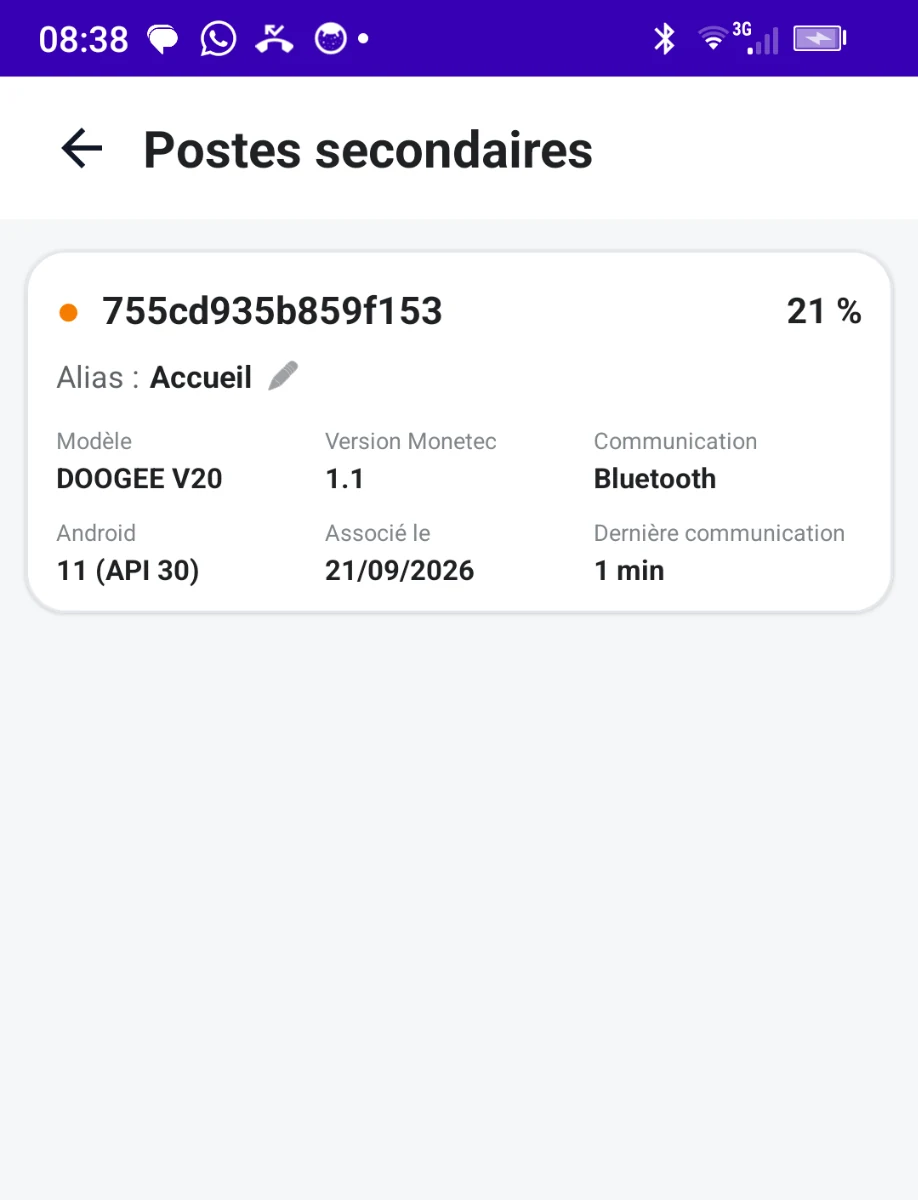 French screenshot · App in English
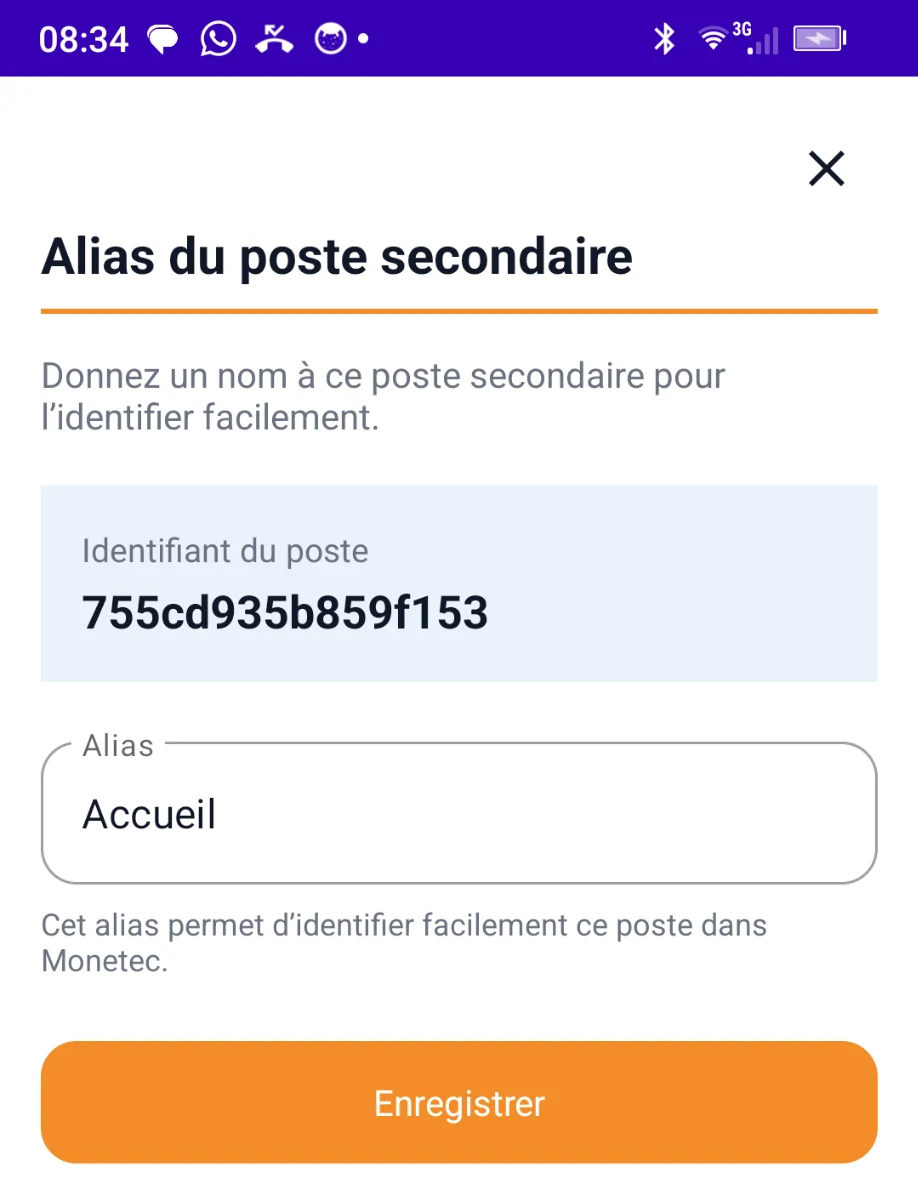 French screenshot · App in English
“Reception”, “Till 2”, “Counter”… Give each device a name that suits your establishment so you can recognise it in the station list.
Customise each station's name to identify it quickly in your establishment.
An organisation suited to establishments where several people count at the same time, with shared management of accounts, transfers and closings.