
Monetec Cloud · Network Pack
Overview and locations
Useful indicators to monitor your business, find important operations and keep a clear view of results.
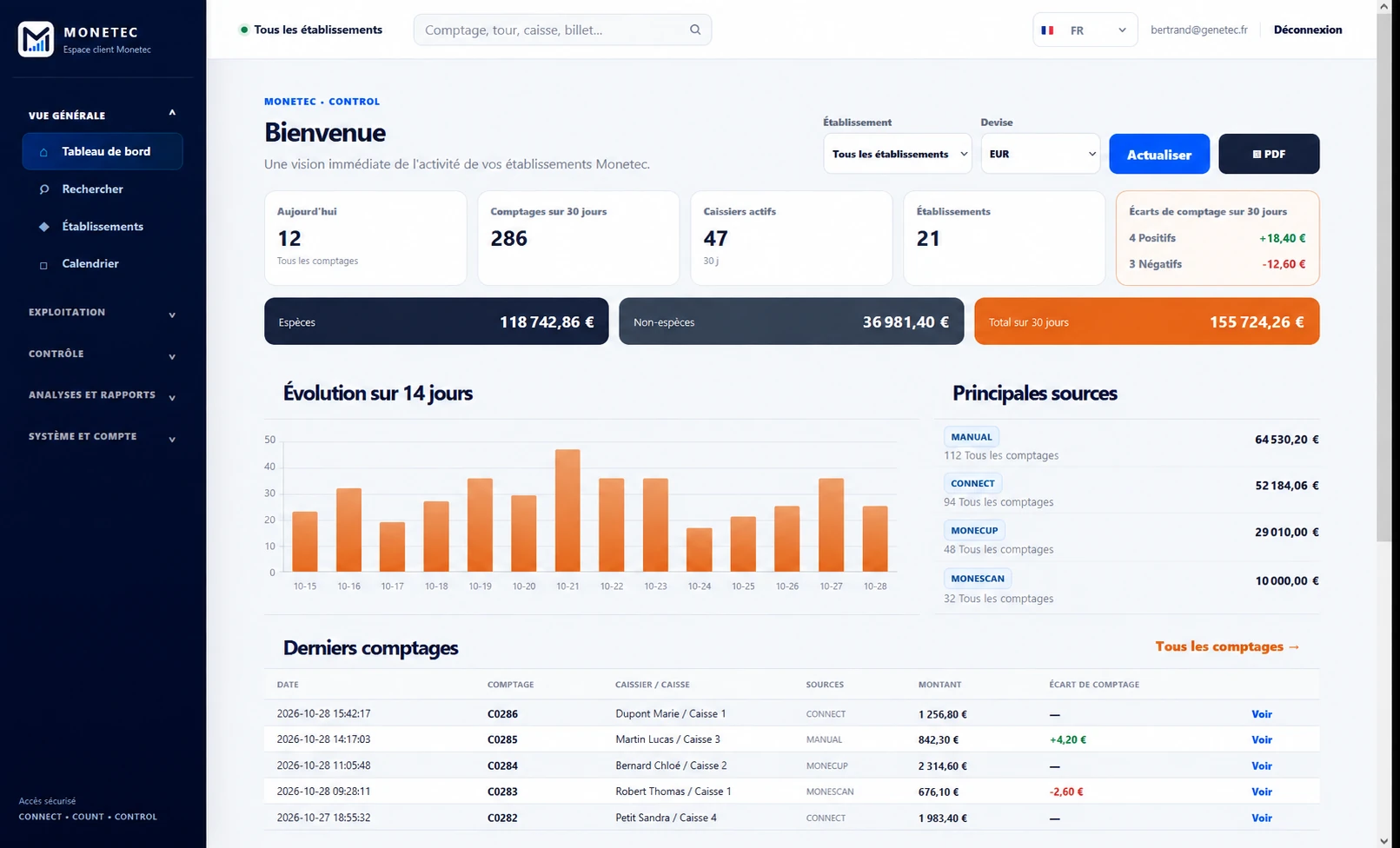
The essentials at a glance
The overview brings together key business indicators. Quickly access available data and identify areas that warrant closer attention.
- Data accessible remotely
- Navigate to detailed information
- View adapted to authorized scope
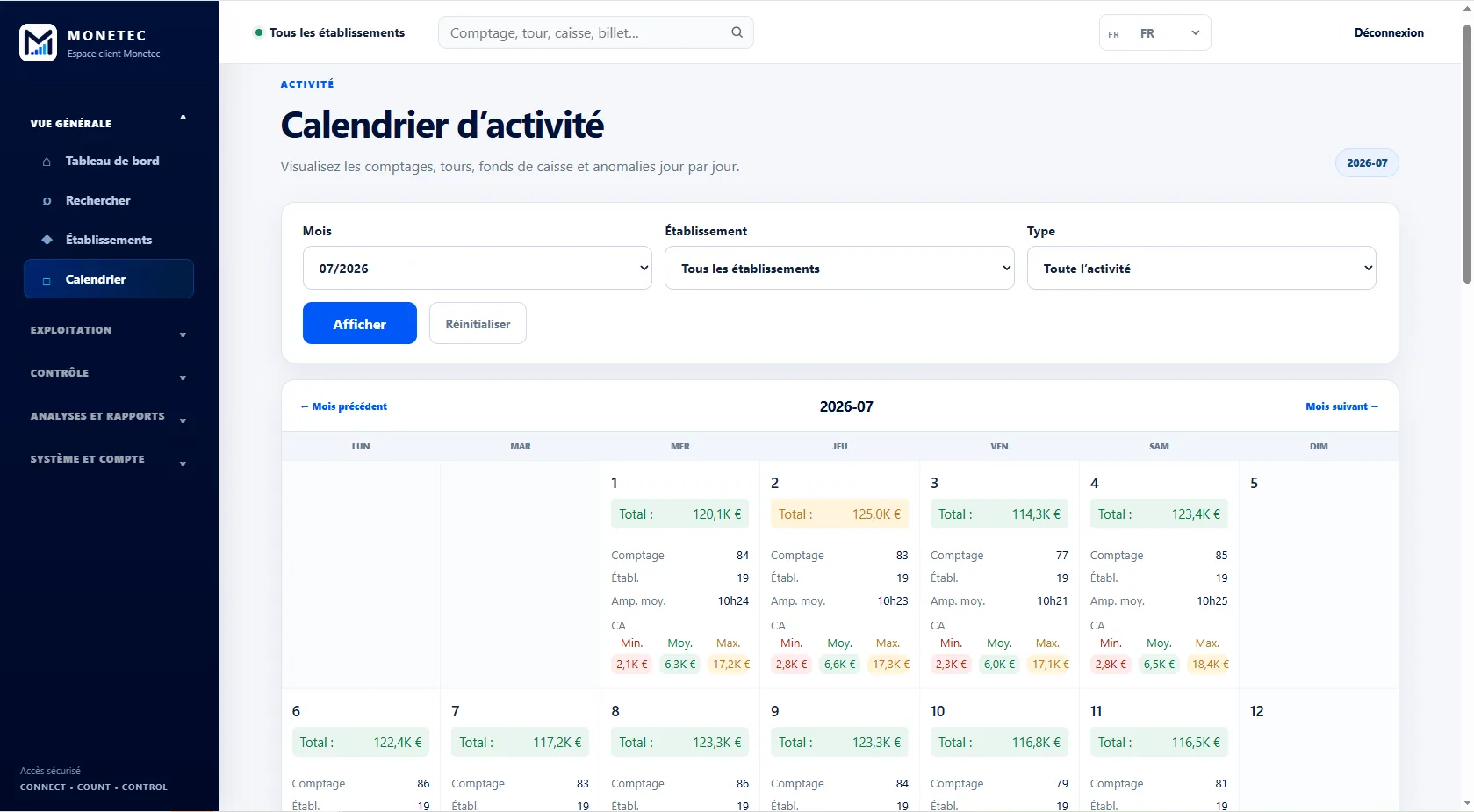
Review operations over time
The calendar and activity screens supplement the dashboard, making it easier to follow how operations unfolded.
- Access to history
- Timeline markers for easier tracking
One platform, tailored access scopes
Store, area or network: the right overview for you
Store managers view their location. Area managers see the stores they oversee. Network management gets an overall view, with the same tools and data limited to authorized locations.
- The same indicators at every management level
- Data focused on authorized locations
- A view tailored to your organization
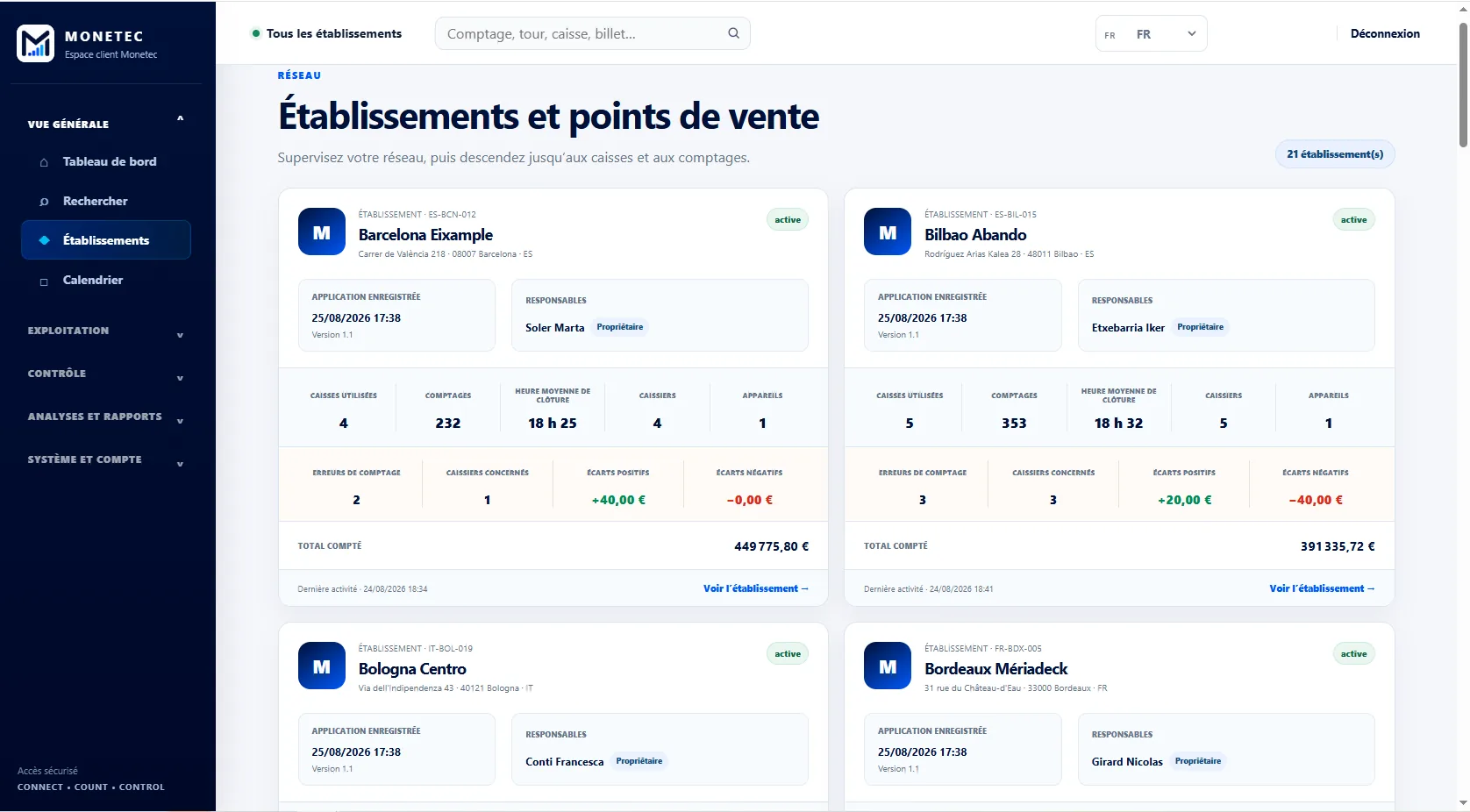
Cloud tailored to your business.
From shop managers to network leadership, use the same tools with visibility suited to your scope.