
01
Group by day
Choose a date and see the total counts recorded that day, even from different cashiers and rounds.
Review results from all your cashiers and combine their counts into a clear report for a particular day, period, round or register.
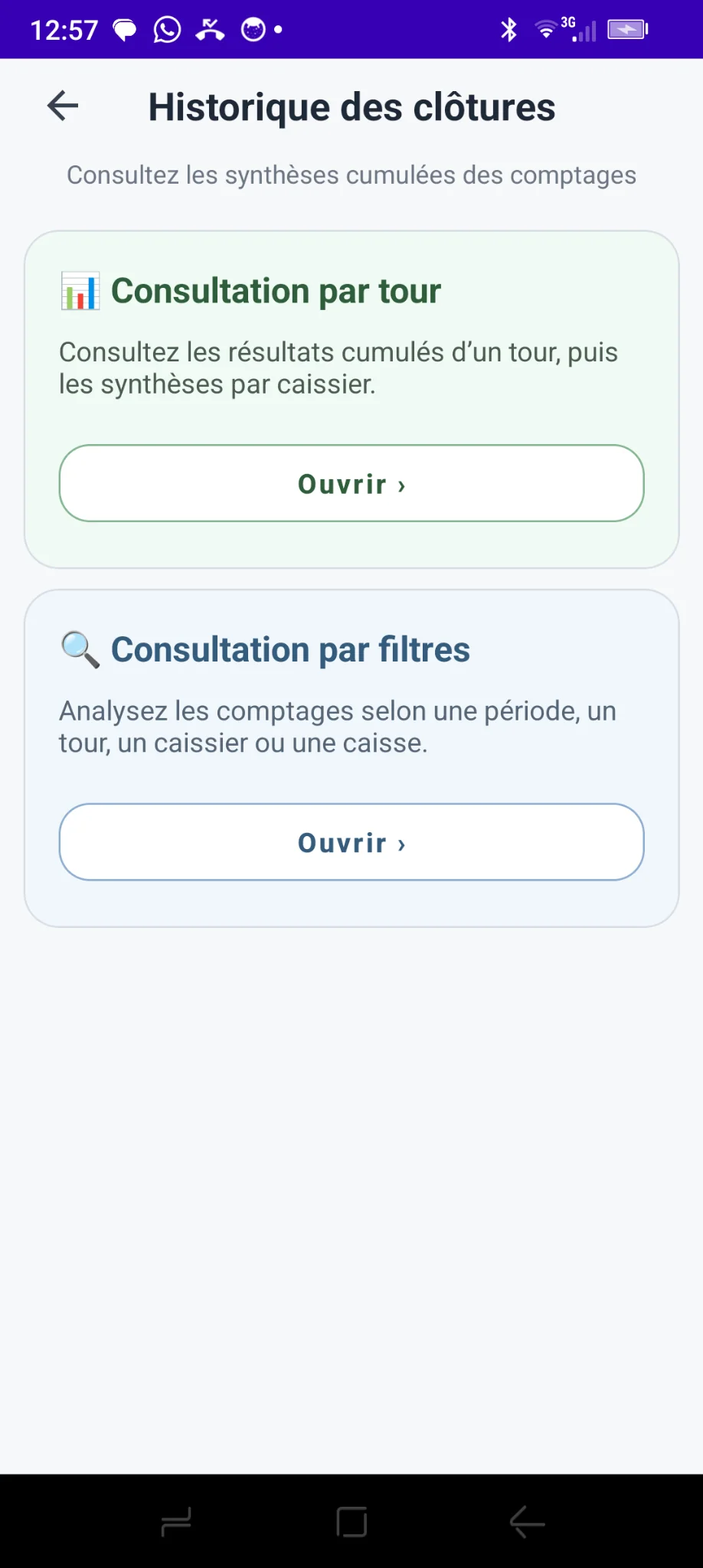
Each cashier can make several counts. Administrator history gathers records matching your criteria and calculates an aggregated summary.
Choose a date and see the total counts recorded that day, even from different cashiers and rounds.
Filter by custom date range, full month, round, round status, cashier or register.
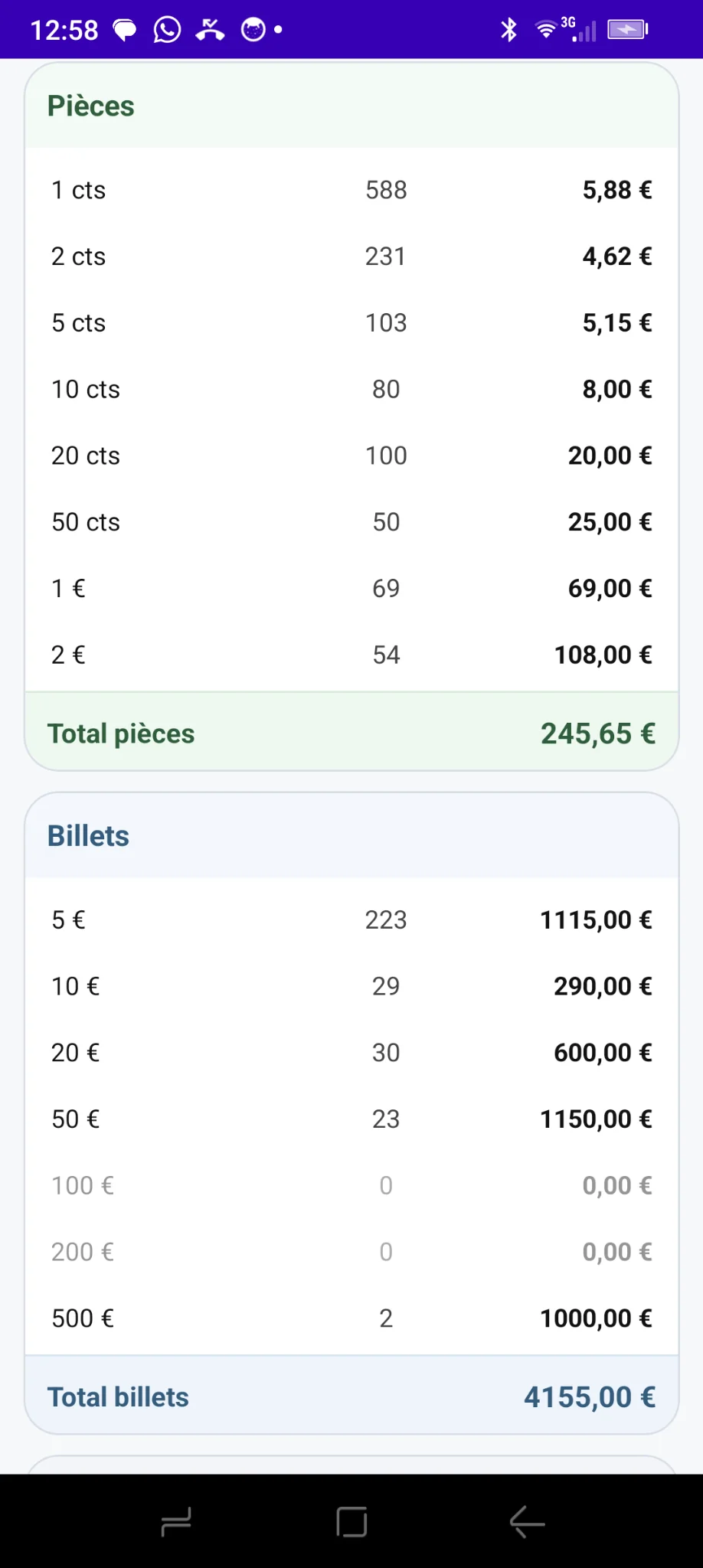
Review combined amounts and coin and banknote denominations, print a summary or share it as a CSV file.
The Period filter offers four options: all periods, a particular day, a custom date range or a full month.
Combine this with other filters to find exactly the counts you need to analyze.
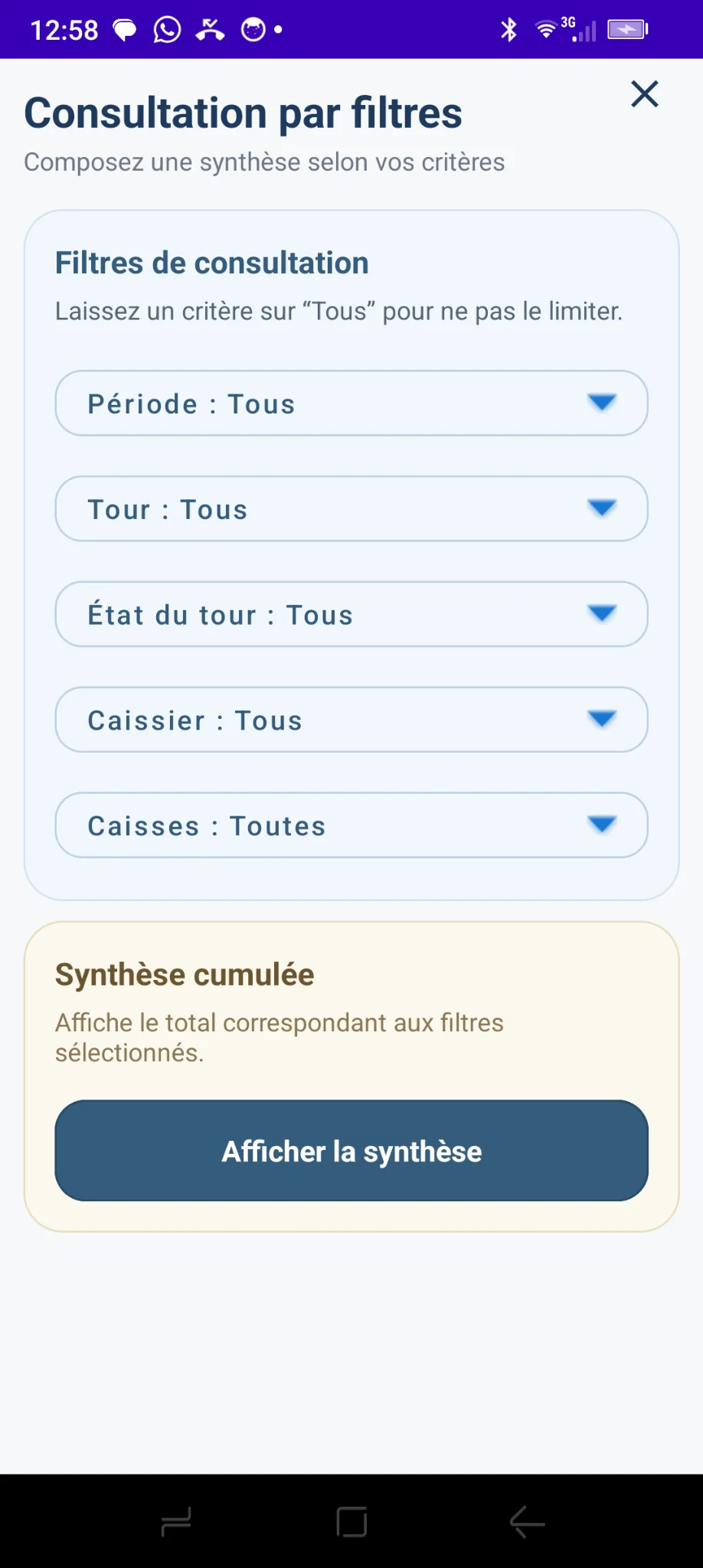
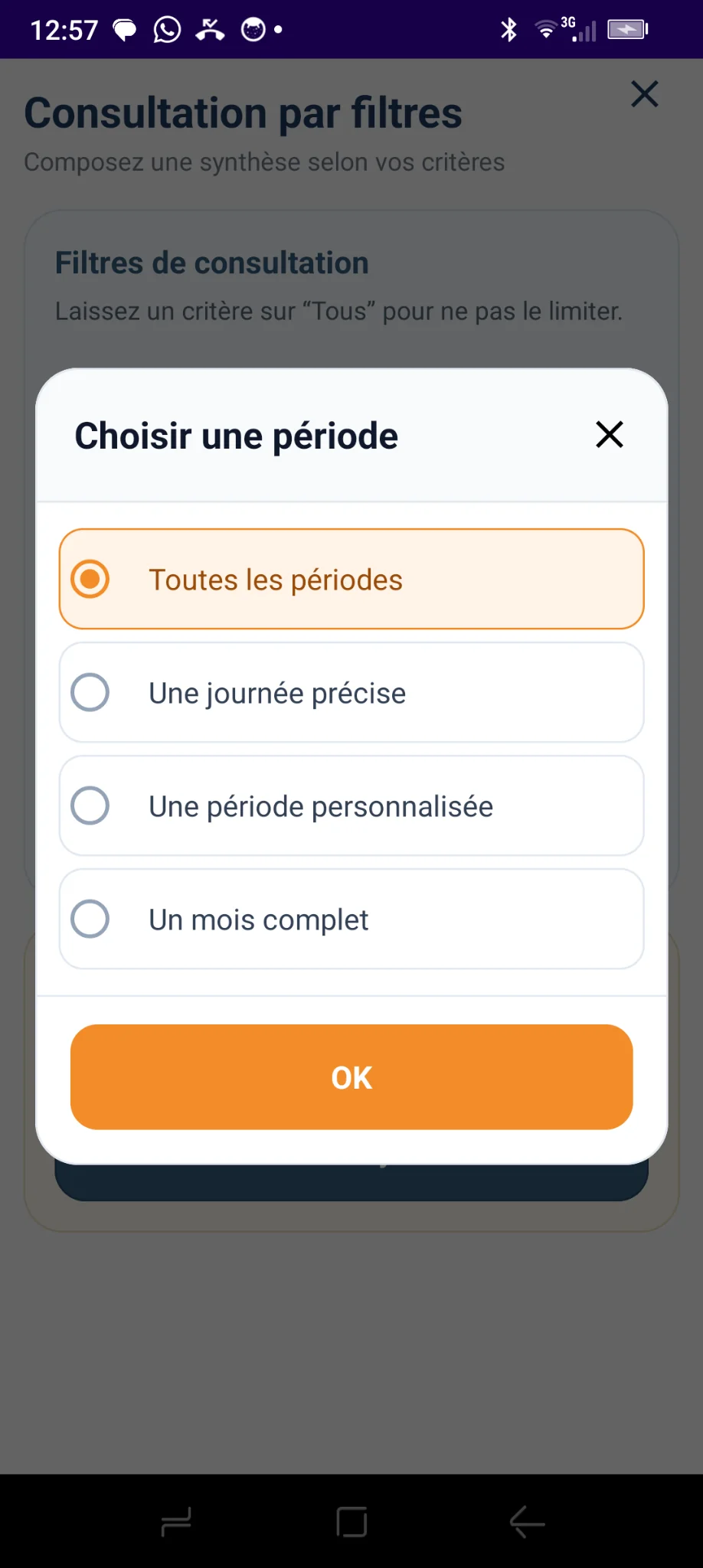
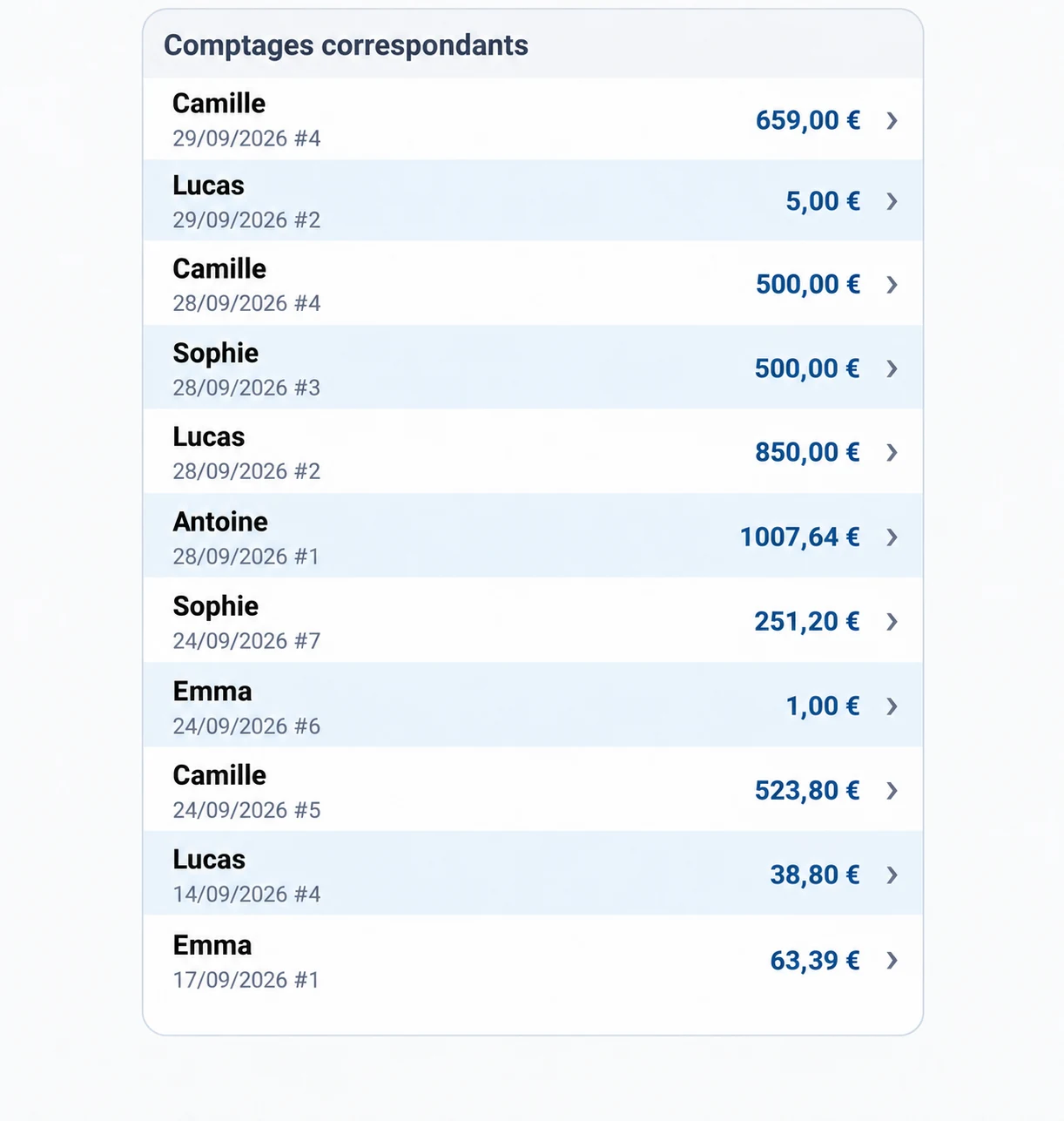 French screen · App in English
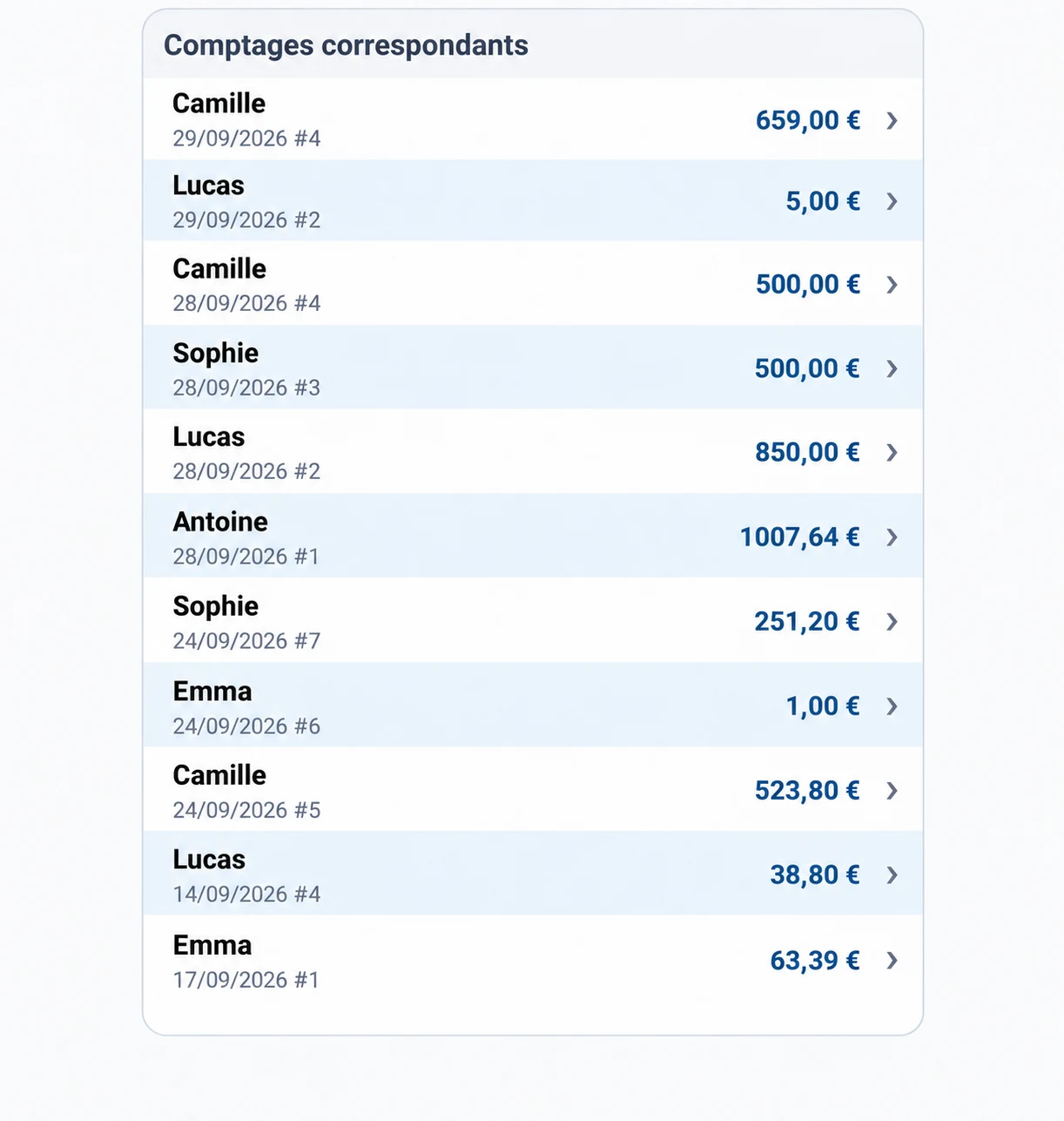
The summary does not hide the details. Review matching counts, identify the cashier and round for each transaction, then open any count individually.
Select a round to review its counts and analyze the corresponding combined results.
Viewing by round complements filtered viewing: focus on one closing or analyze several rounds over a given period.
Both options use counts saved in Monetec history.
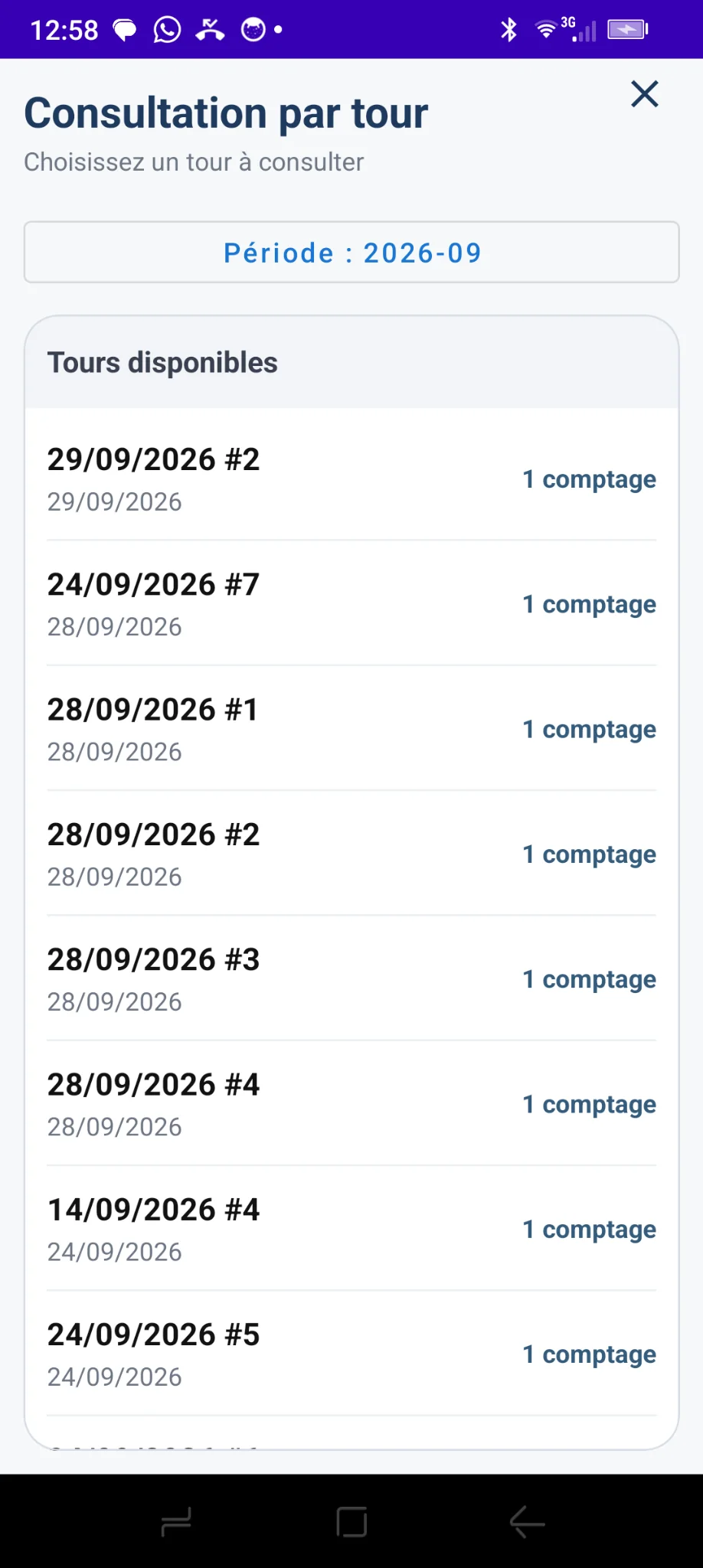
Organize all your team's counts around a single round.
With round management from the Store Management Pack, you can do more than review individual cashier results: organize counting operations across your business.
Several cashiers can join the same official round while retaining individual traceability. The manager sees combined round results and can inspect each cashier's transactions.
Less fragmentation, better tracking and more efficient counting.
Explore cash-round managementCash and non-cash amounts are shown separately. Coins and notes are broken down by denomination, with quantities, subtotals and an overall total.
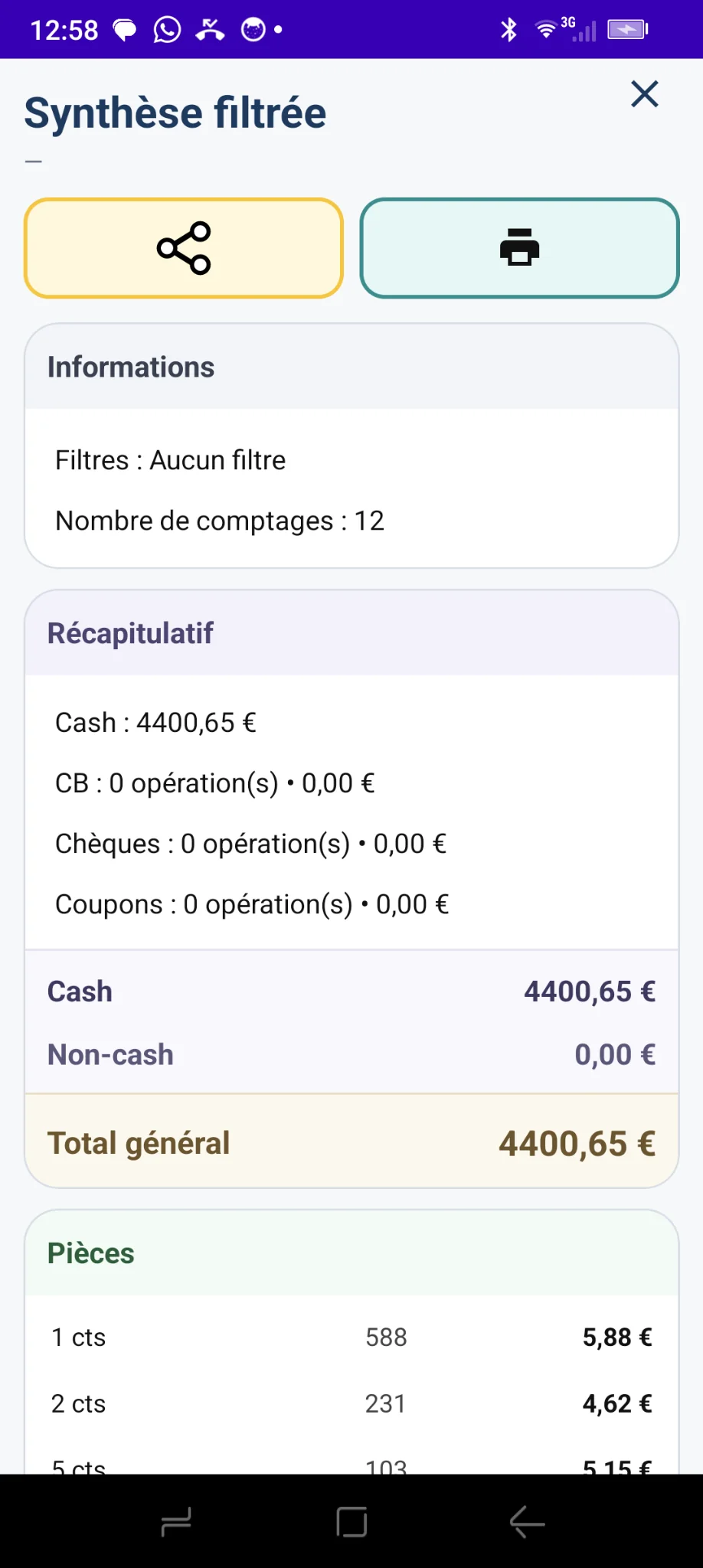
Once you have finished reviewing, print the summary with a compatible printer or export it as a CSV, then send it or open it in your reporting tools.
One screen to select your scope, review combined results and trace each count back to its source.