
History & Traceability
of counts
Every count saved, every operation documented. Find your results by date, cashier and collection round, view the details and review the information needed to track your closings.
Identifiable, accessible counts
A chronological view of recorded operations, with their context.
Find any operation in moments
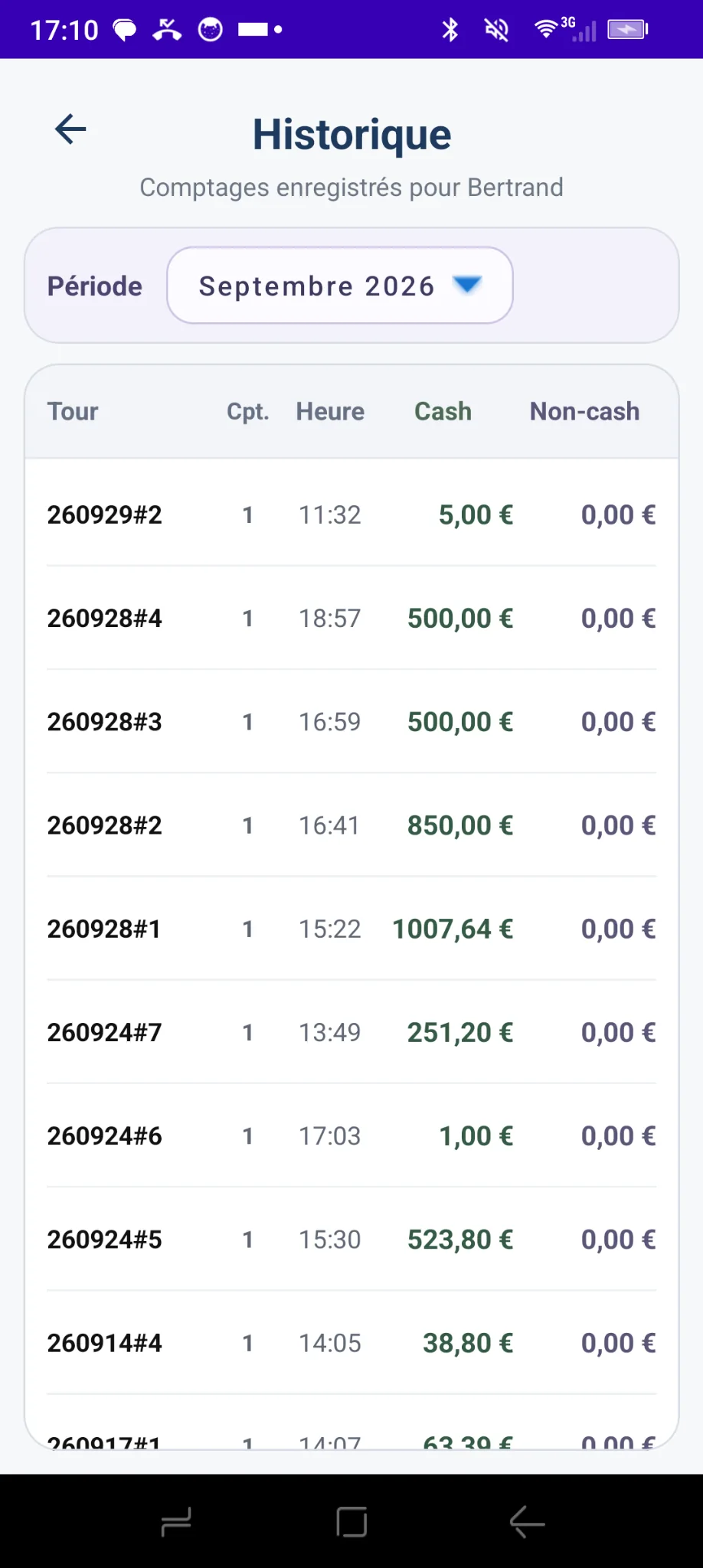
Review counts saved for a cashier, choose a month and identify each operation by its round, time, and cash and non-cash totals.
The local history is available in the app for the current month and the previous 12 months.
 French screenshot · App in English
Detailed traceability
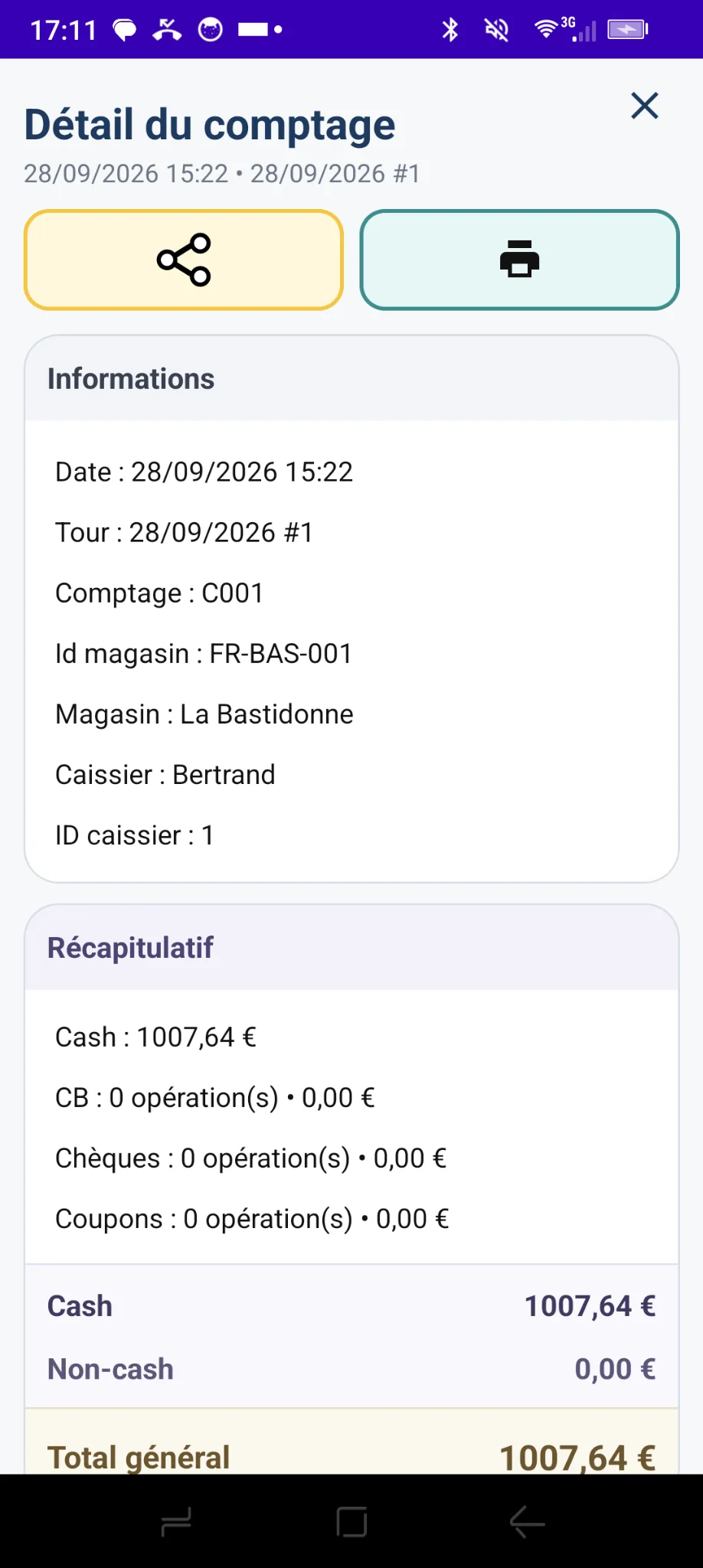
Each record shows the saved information: date and time, count identifier, round, shop and cashier, plus a cash and non-cash summary.
Everything you need to trace the origin and breakdown of a cash-register result.
 French screenshot · App in English
Coin and banknote details
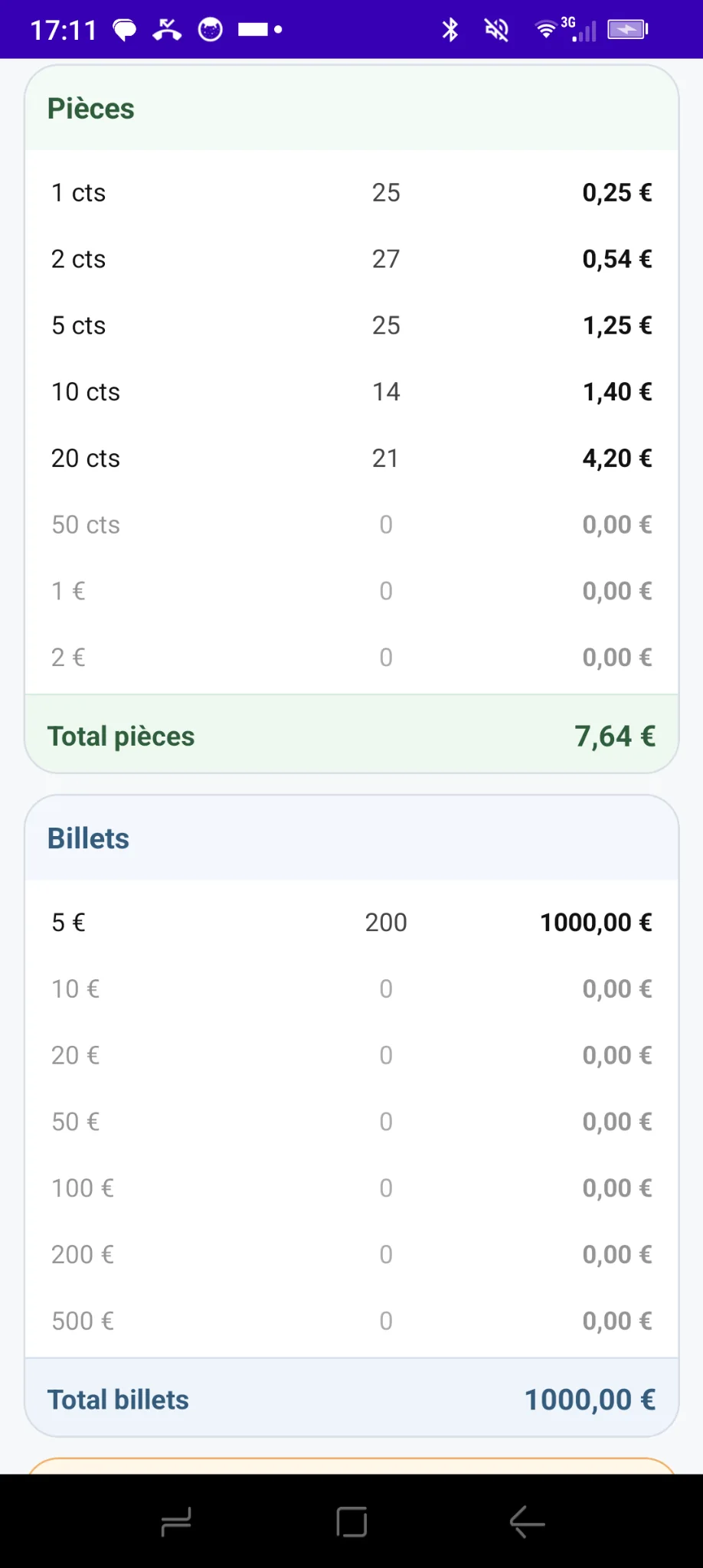
Go beyond the total to see quantities and amounts by denomination. The individual components of every count remain identifiable in its detailed record.
Card payments, cheques and vouchers also appear in the summary when they are part of the operation.
 French screenshot · App in English
Document your closing operations
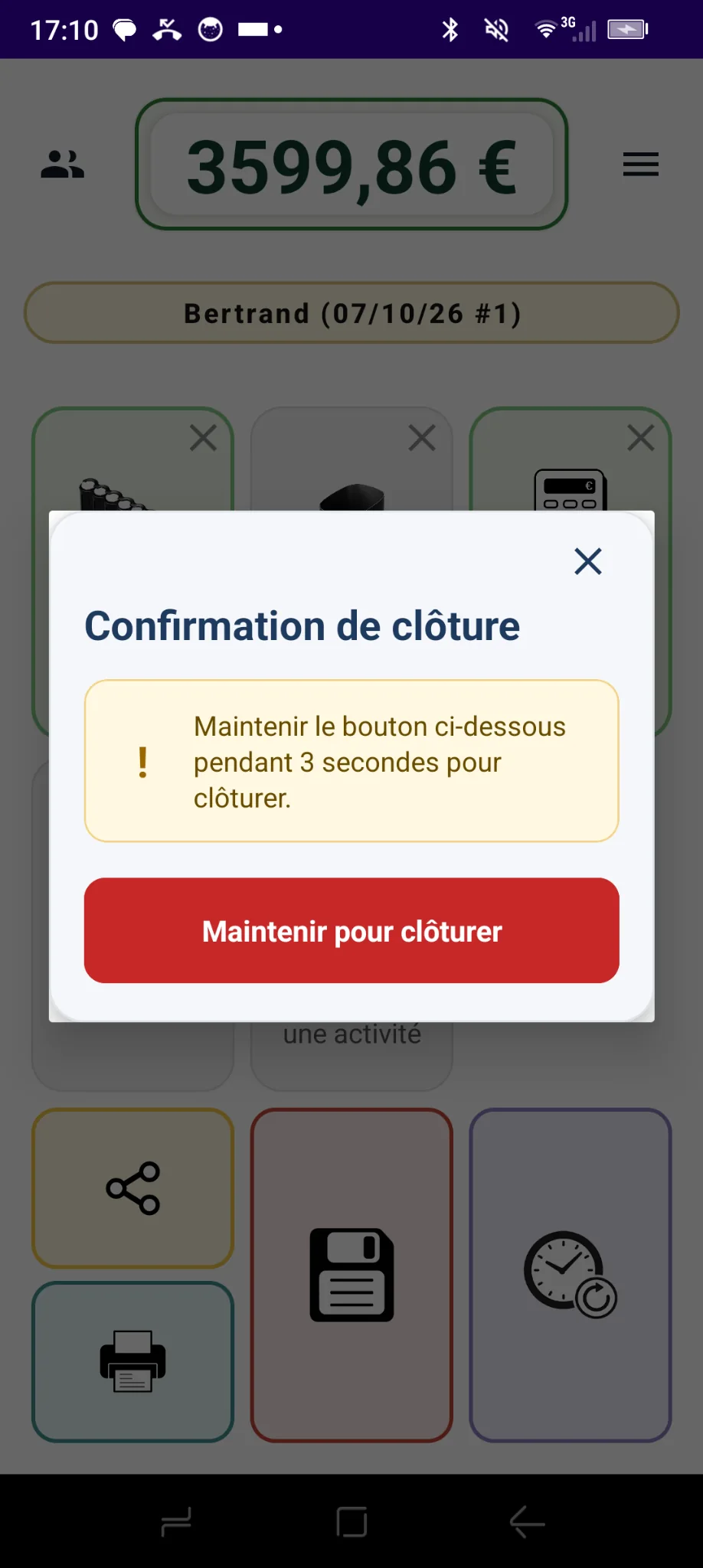
Review saved closings and, with the dedicated Premium feature, the details of how your cash floats are prepared according to your rules.
 French screenshot · App in English
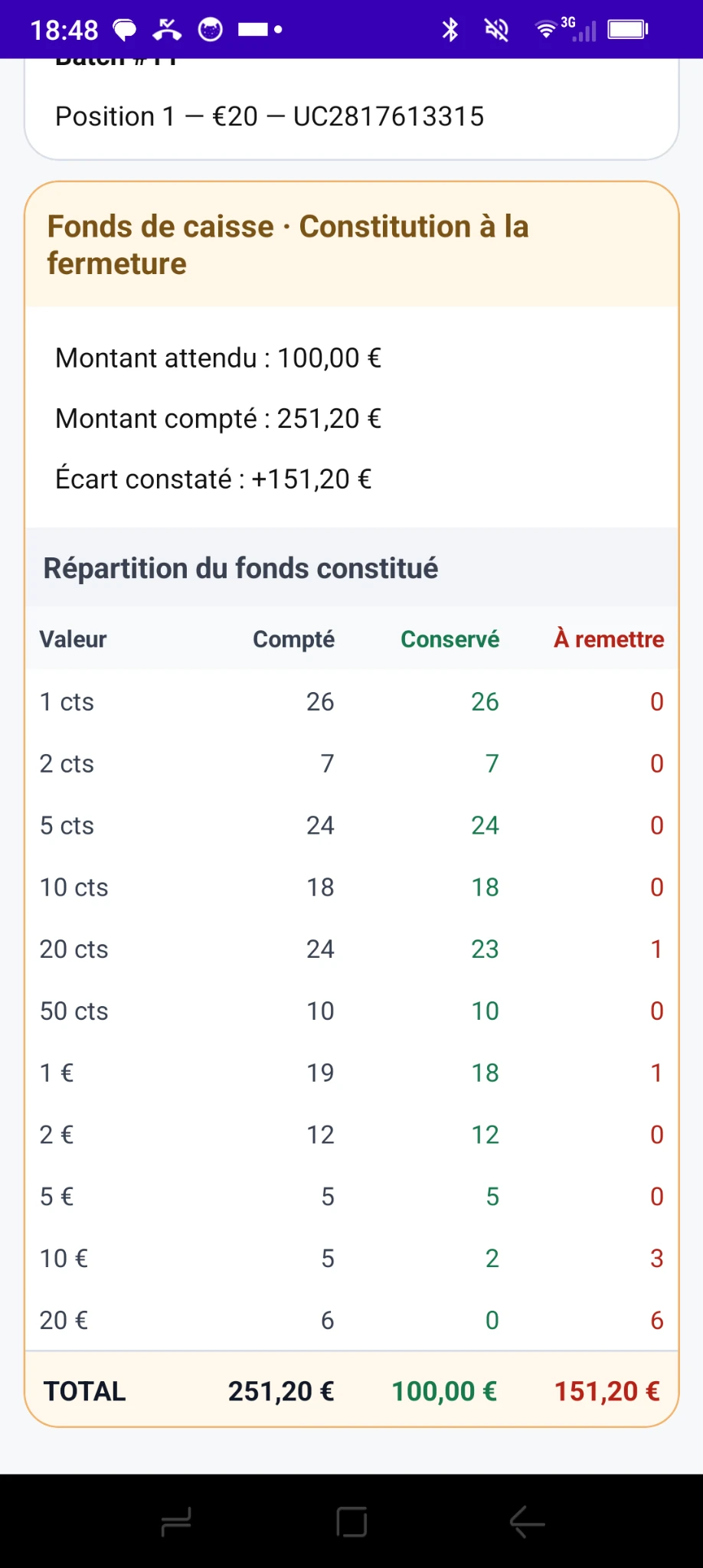 French screenshot · App in English
Holding the button for three seconds helps prevent accidental closings.
Apply the cash float preparation rules defined for your establishment.
For each denomination, see how many to retain, place in the safe or exchange according to your configured rules.
Advanced cash float preparation is a Premium feature separate from local history. Explore Premium solutions ↗
Banknote serial numbers, when available
Compatible Monepass Connect equipment can transmit banknote serial numbers. This information is available in the details of saved counts when it has been collected.
Print and share your results
From a saved count, reprint a receipt with a compatible printer or share a CSV export using apps available on Android.
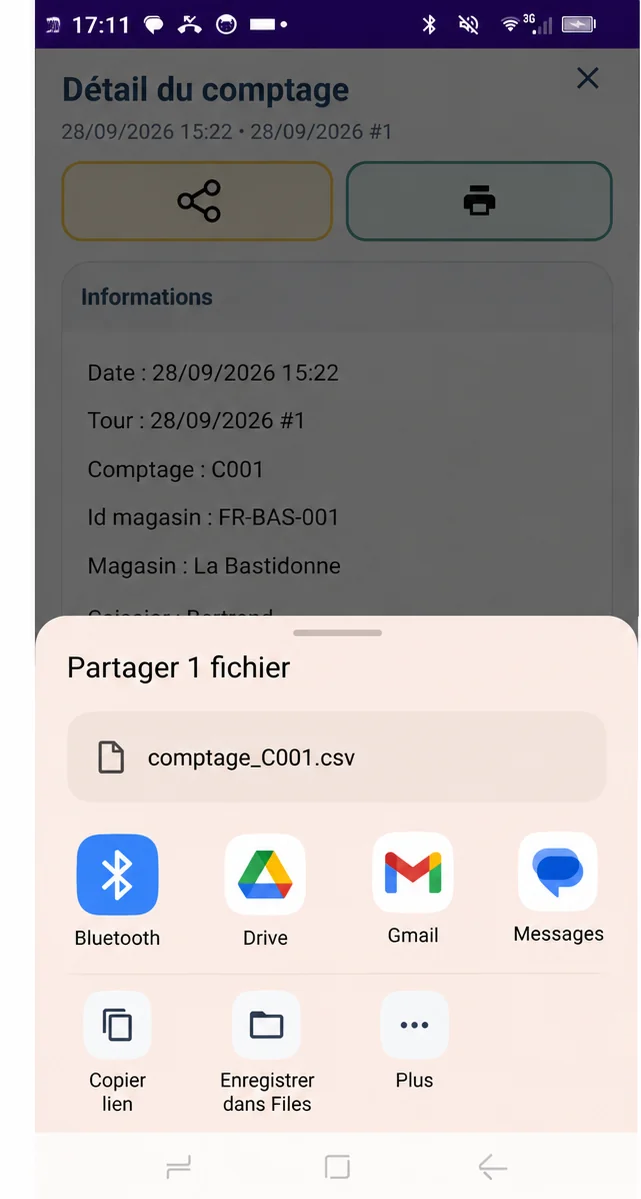
The available sharing apps depend on what is installed on your device.
Local history and advanced services
Local history lets each cashier review their own counts. Online backup and centralised viewing are separate Premium or Cloud services.
Stay in control of your cash operations
From initial recording to count details and closing, Monetec helps you track and trace your operations.