
Notification with register, team member, amount and date. Clicking can open the count details.
Monetec Cloud · Network Pack
Notifications and alerts
Stay informed about important events and monitor technical alerts from compatible equipment.
Important events reach you
The portal supports desktop push notifications. Delivery depends on browser permissions and enabled notifications.
Opening and closing notifications; any required adjustment is flagged.
Receive notifications when compatible equipment needs attention, such as low battery, maintenance or another supported technical event.
Stay informed of maintenance or calibration events reported by compatible devices.
Alerts from connected equipment
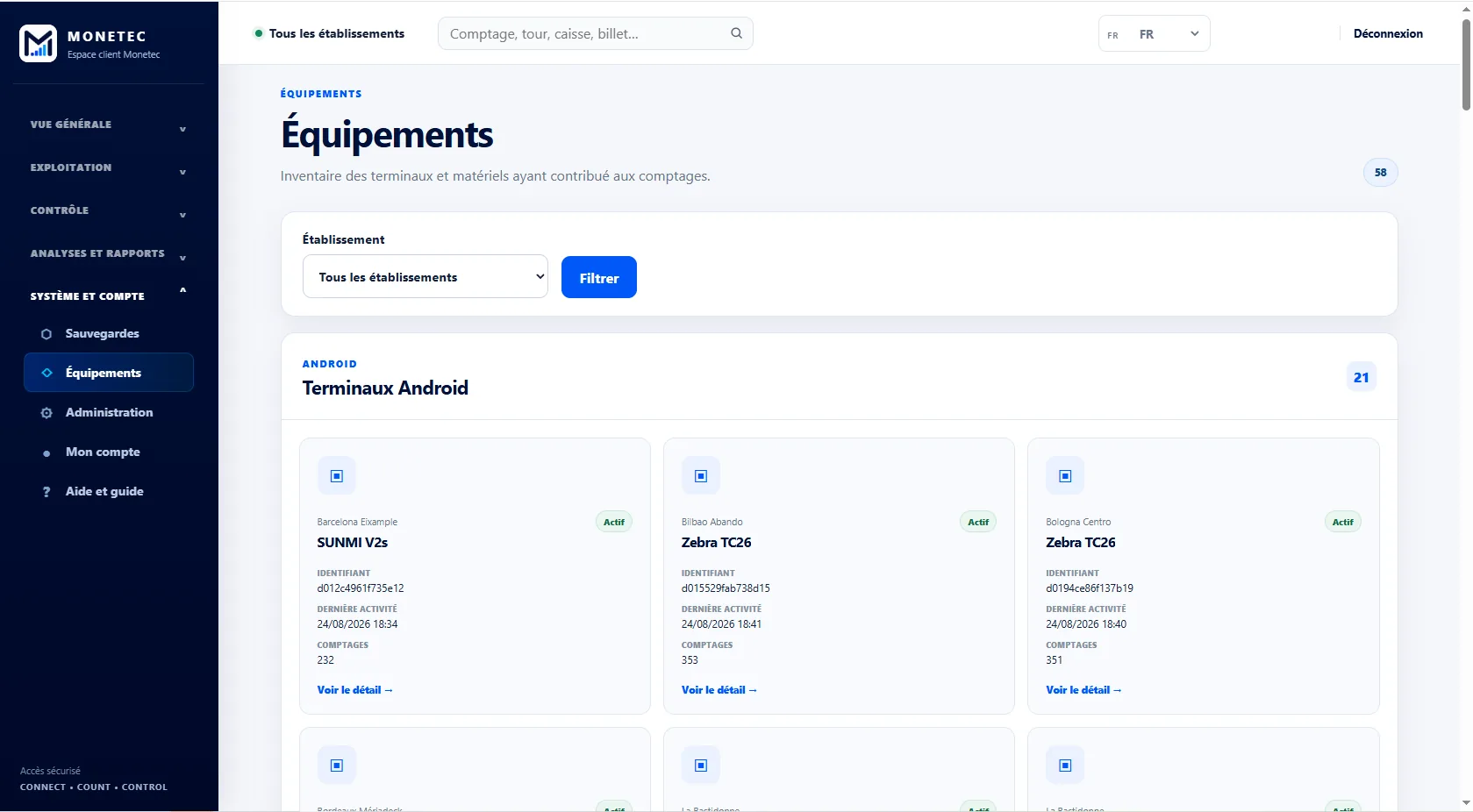
Compatible equipment can report supported technical events. You can also review your equipment inventory in the dedicated section.
- Review equipment inventory
- Track available information
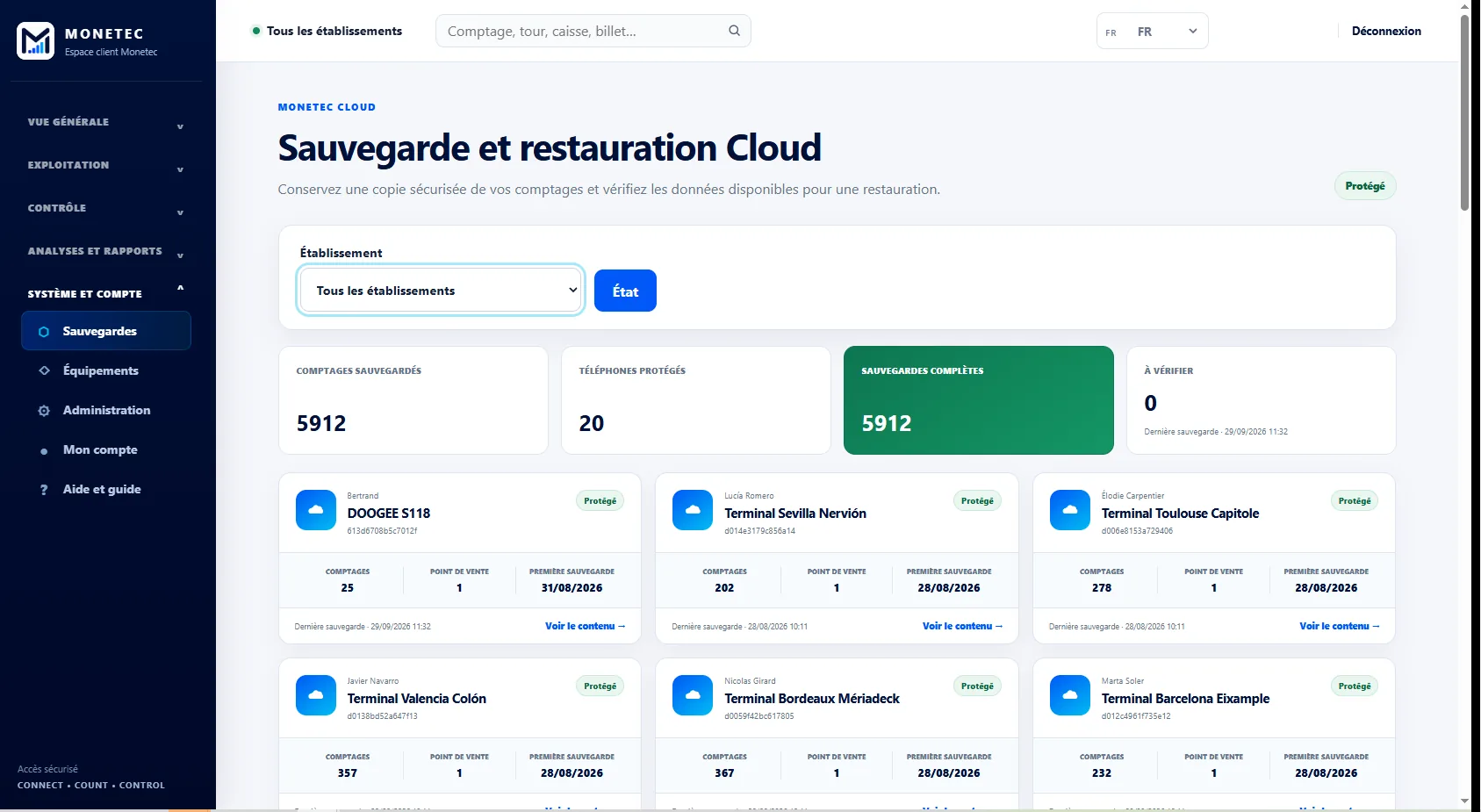
Check your backups
The portal also has a section for backups. Restoring them for operational use remains a function of the Monetec app.
- Saved data availability
- Business continuity after an incident
Cloud tailored to your business.
From shop managers to network leadership, use the same tools with visibility suited to your scope.