
Register number
Each register has its own numeric identifier to distinguish it from other workstations.
Create a register directory for your store: number, location, primary and secondary groups. A structured approach to customize cash floats and prepare future round assignments.
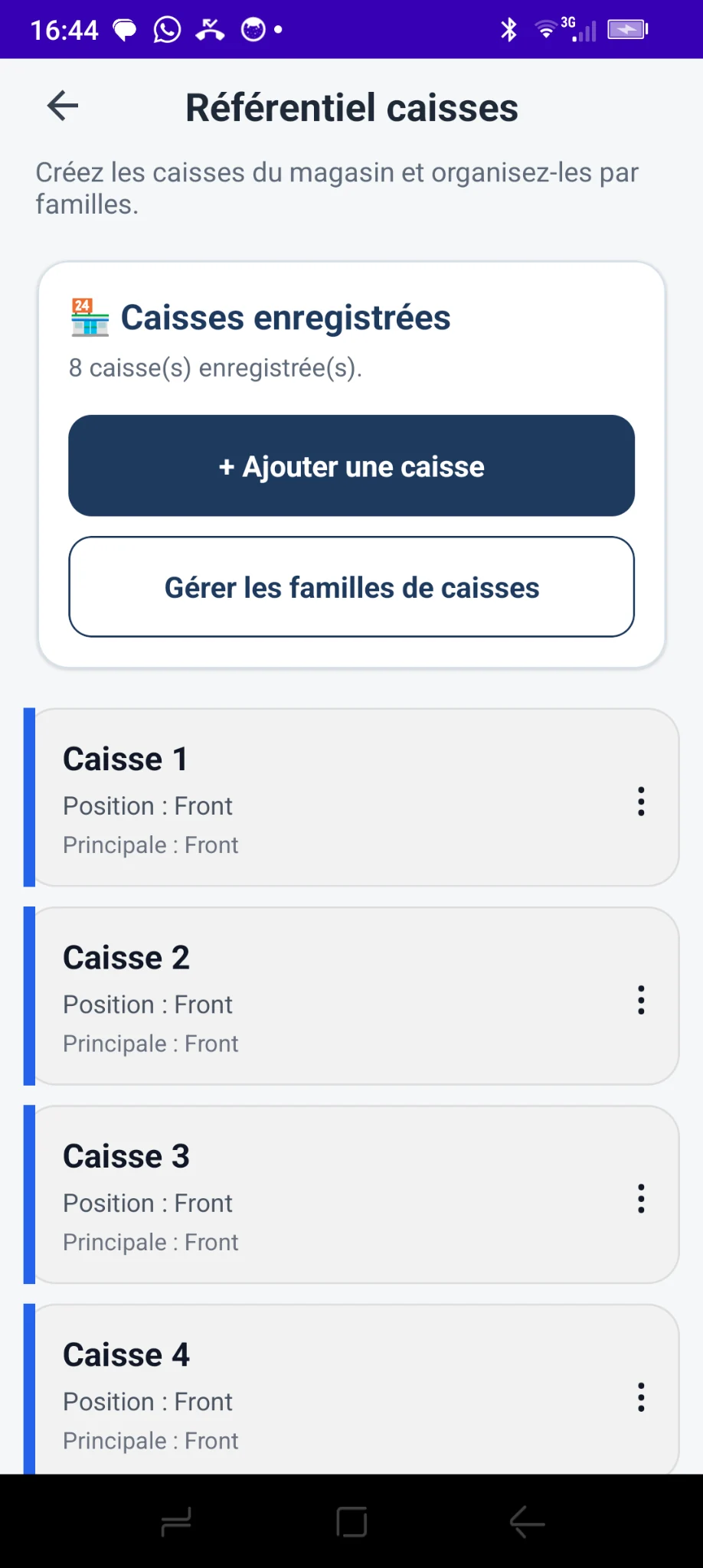
The directory lets you identify and locate registers by number and position instead of working from an undifferentiated list.
Each register has its own numeric identifier to distinguish it from other workstations.
Specify the location or activity: checkout lane, bakery, drive-through, reception or another department.
Group workstations according to how your store operates, while keeping each register individually identifiable.
Add a register by entering its number and location or department. If necessary, assign it to a primary family and to one or more secondary families.
Set up this structure once in the directory, then reuse it in the store management features.
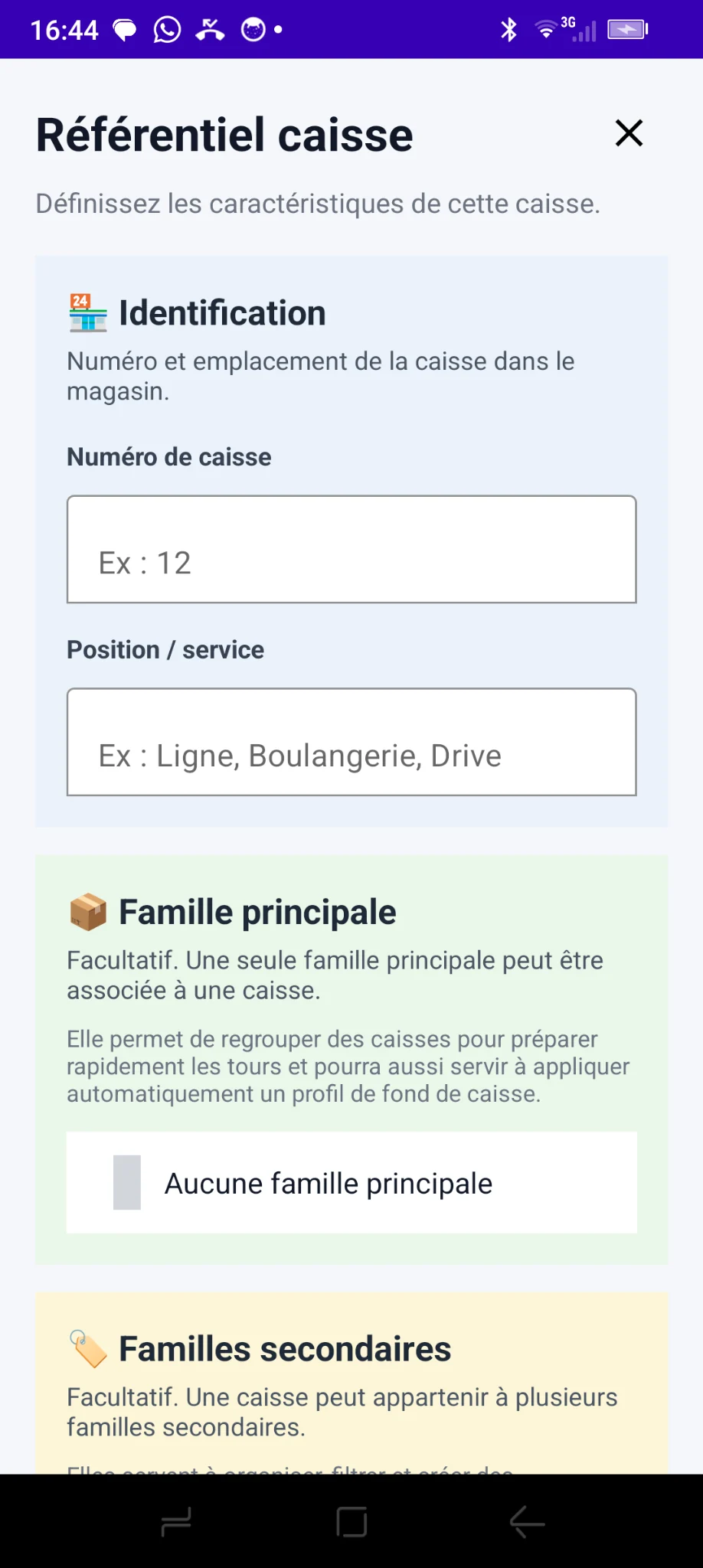
Monetec offers groups suited to the store's actual organization, with an essential functional distinction.
A register can have only one primary family, which is optional. It helps prepare rounds and may automatically determine the cash float profile assigned to this register.
A single register may belong to several secondary families. They are used to organize, filter and create custom round groups. They do not determine the cash float profile.
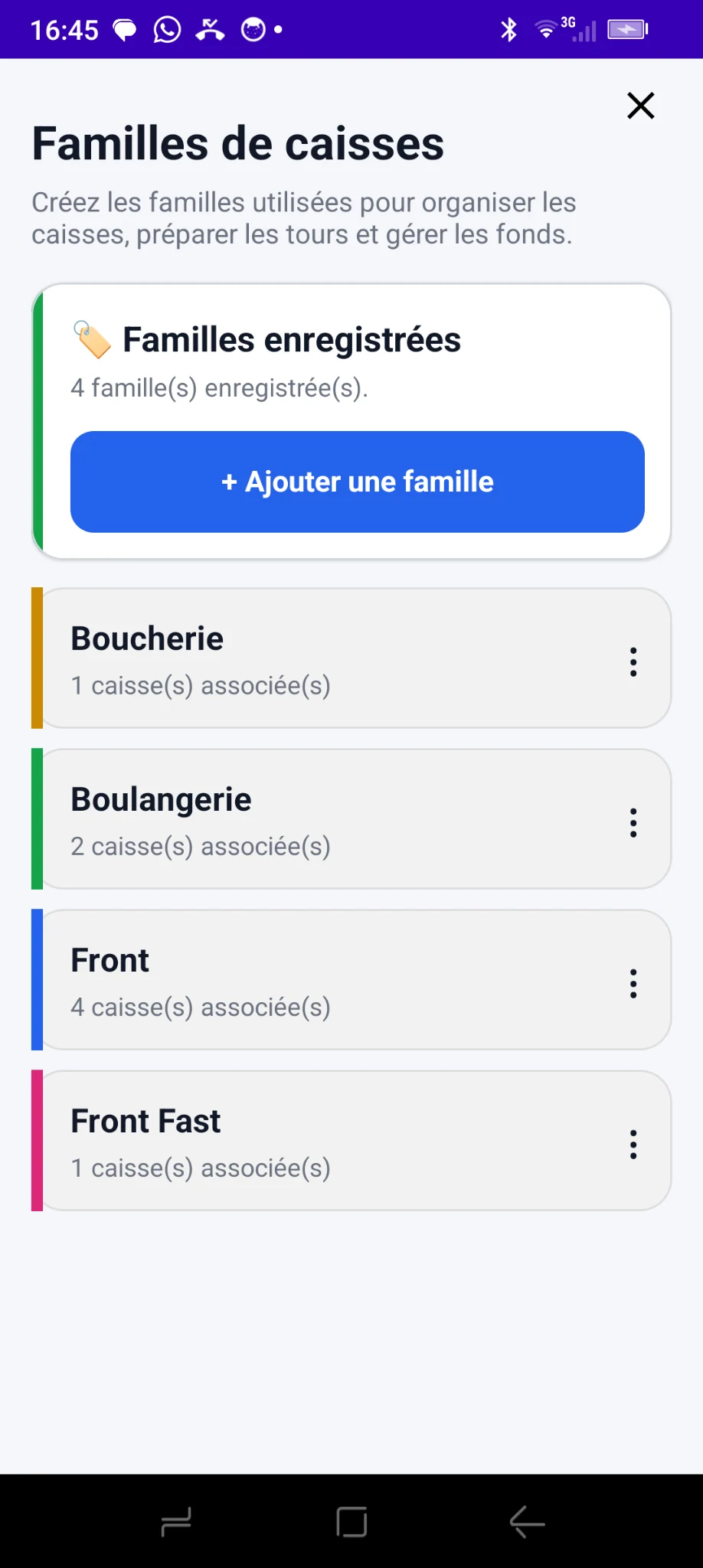
Create groups based on departments and activities, then view them with the number of registers assigned.
The app examples — Butcher, Bakery, Front and Front Fast — show how the directory can serve different activities in one location.
Creating the directory is part of the Store Management Pack. Features using it must nevertheless be distinguished by pack.
Cash float management and its four methods belong to Commerce Pack. With the Store Management Pack directory, a profile can be assigned by primary family or directly to a register, with individual assignments taking priority.
The directory structures registers and their groups. Assignment plans and round management are a feature of the next higher pack, described separately.
One register database can be reused to plan rounds without creating the workstations again.
The register directory gives your store a clear, lasting foundation: identifiable registers, grouping by family and preparation for advanced features.