
Standard method
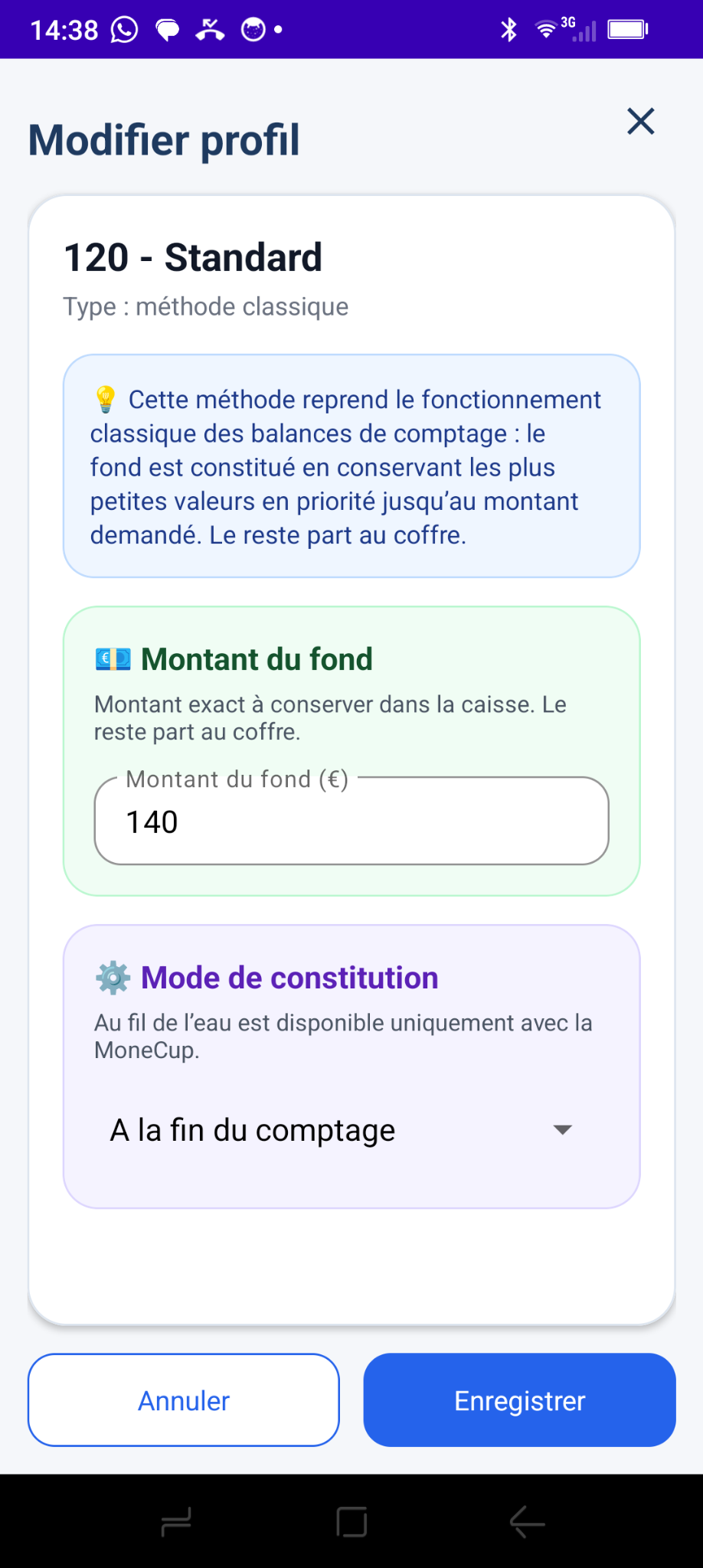
The market standard: keep a fixed amount, prioritizing the smallest available denominations.
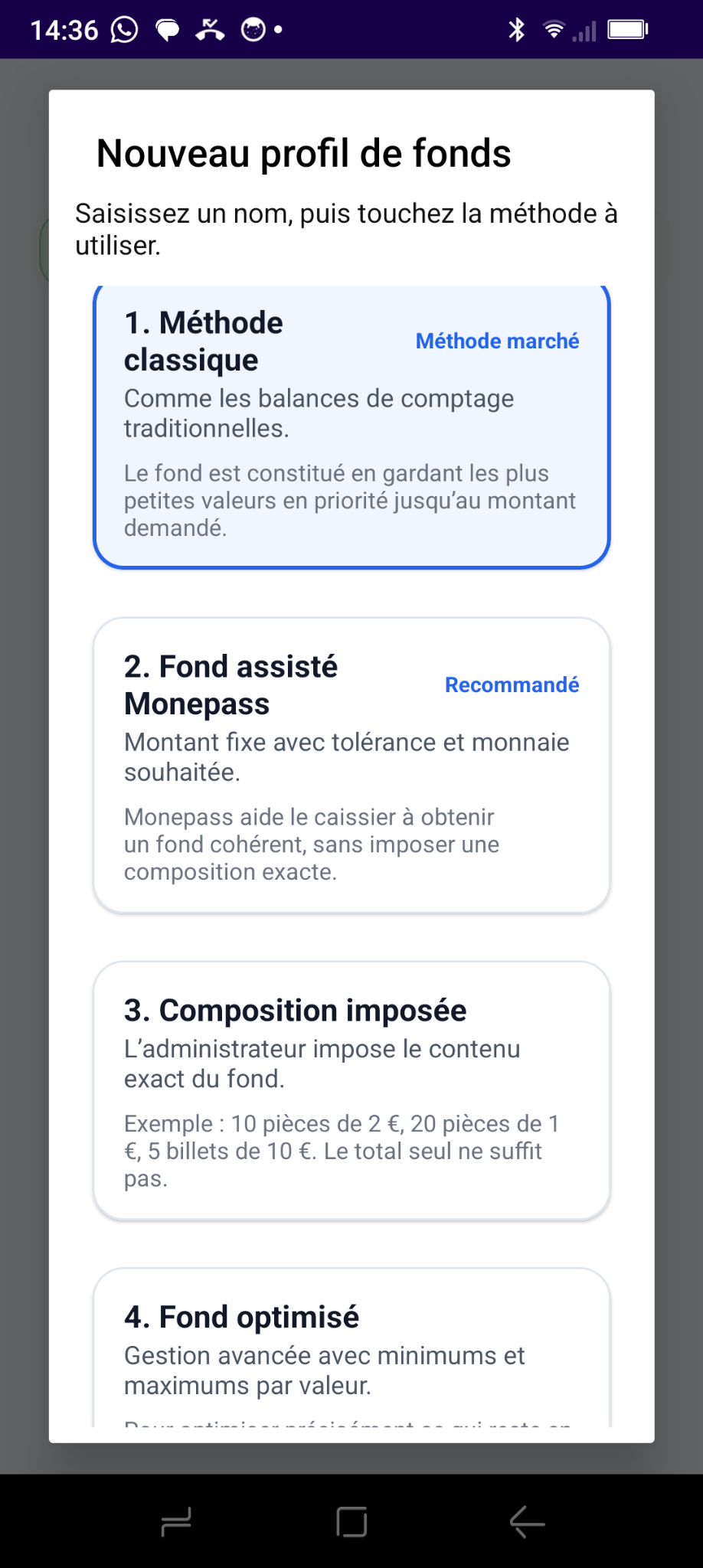
One standard method and three advanced methods to build cash floats according to your business needs. Monetec shows exactly which coins and notes to keep, remove, exchange or put in the safe.
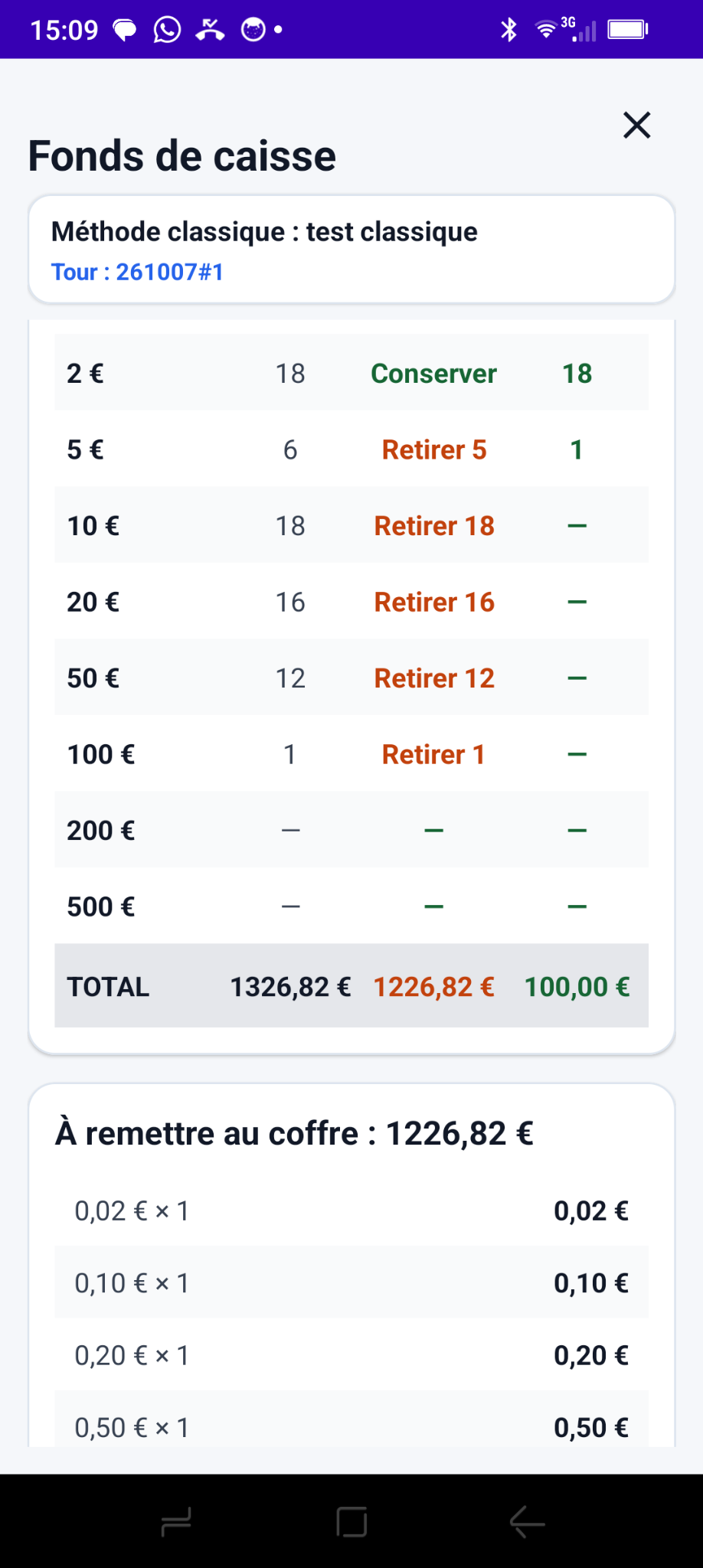
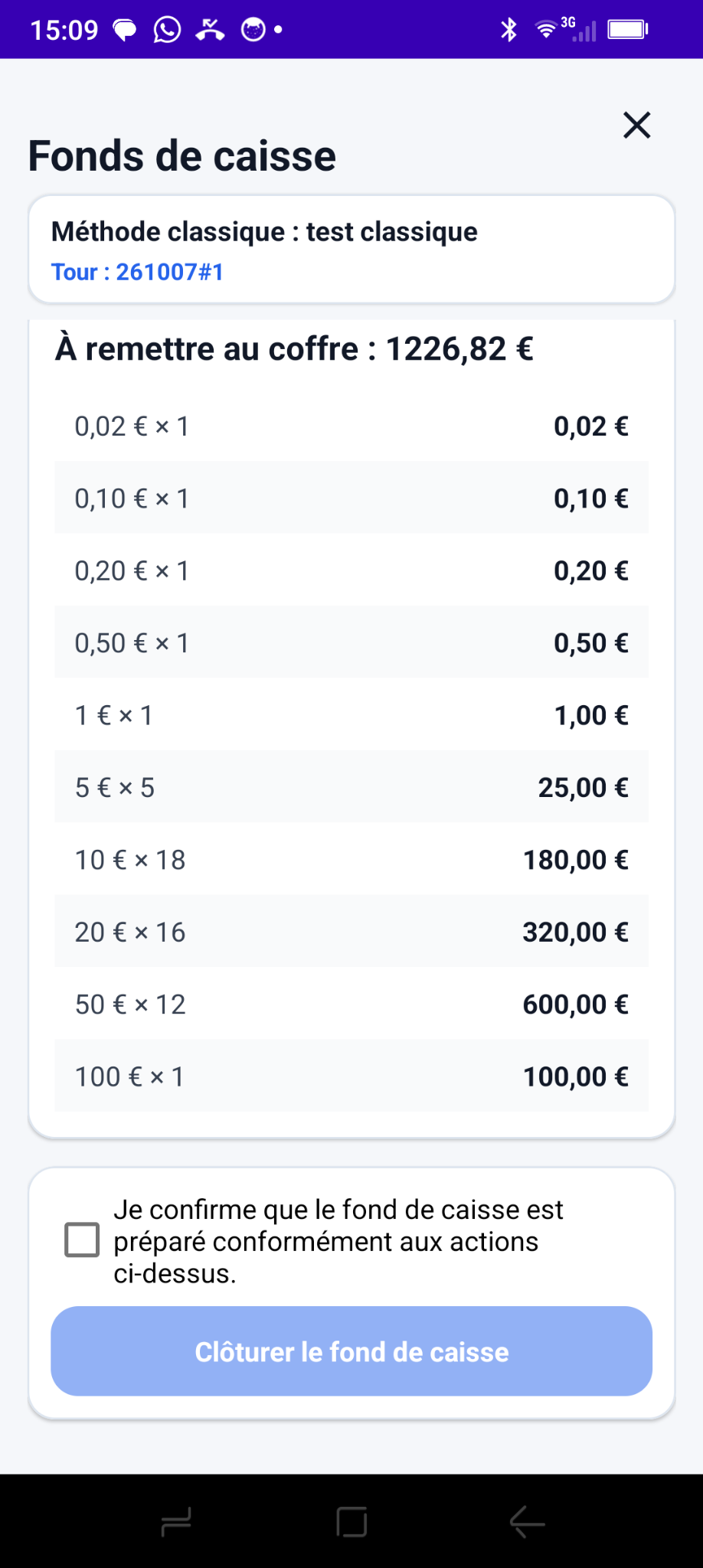
Instead of making the cashier decide which denominations to remove, the app provides a detailed action plan: available, keep, remove and amount to deposit in the safe.

The standard method sets a target amount. The other three give you finer control of the float's composition based on your business goals.
The market standard: keep a fixed amount, prioritizing the smallest available denominations.
Set a total float and target coin amount, with an allowed tolerance.
Set the exact desired quantity of each coin and banknote.
Set an ideal composition with minimum and maximum quantities by denomination.
The standard method builds the target amount by keeping the smallest denominations first. This simple method does not necessarily produce a balanced mix. Monetec adds an essential benefit: precise instructions for each denomination, right through to depositing in the safe. Build the float after counting or progressively with MoneCup.
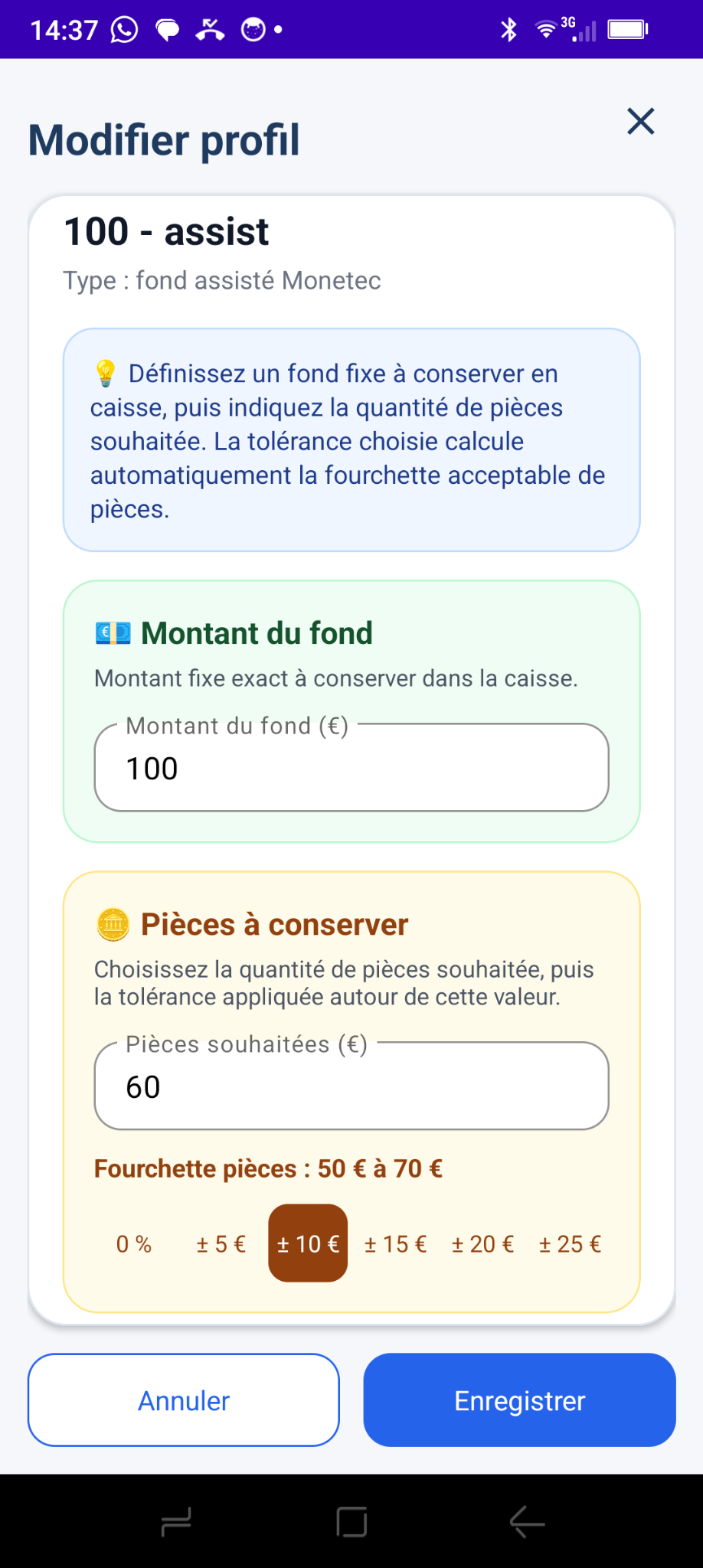
Set a total amount, a target coin value and a tolerance. For example, a €100 float with €60 in coins and ±€10 flexibility: the app finds a solution using the available cash without imposing exact quantities.
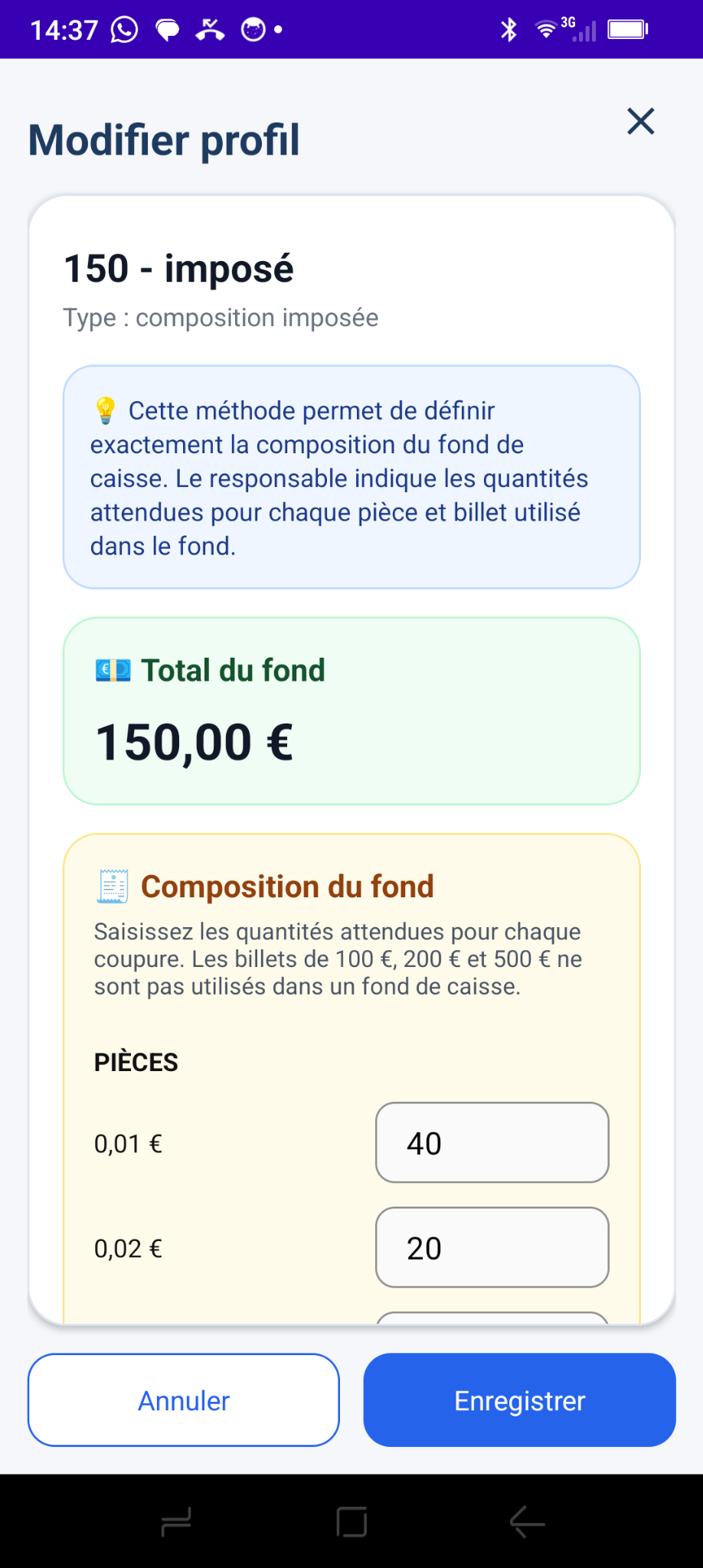
The administrator specifies the exact numbers of coins and notes to keep in the register. The amount alone is no longer enough: Monetec identifies the denominations to keep, remove or obtain to achieve the required mix.
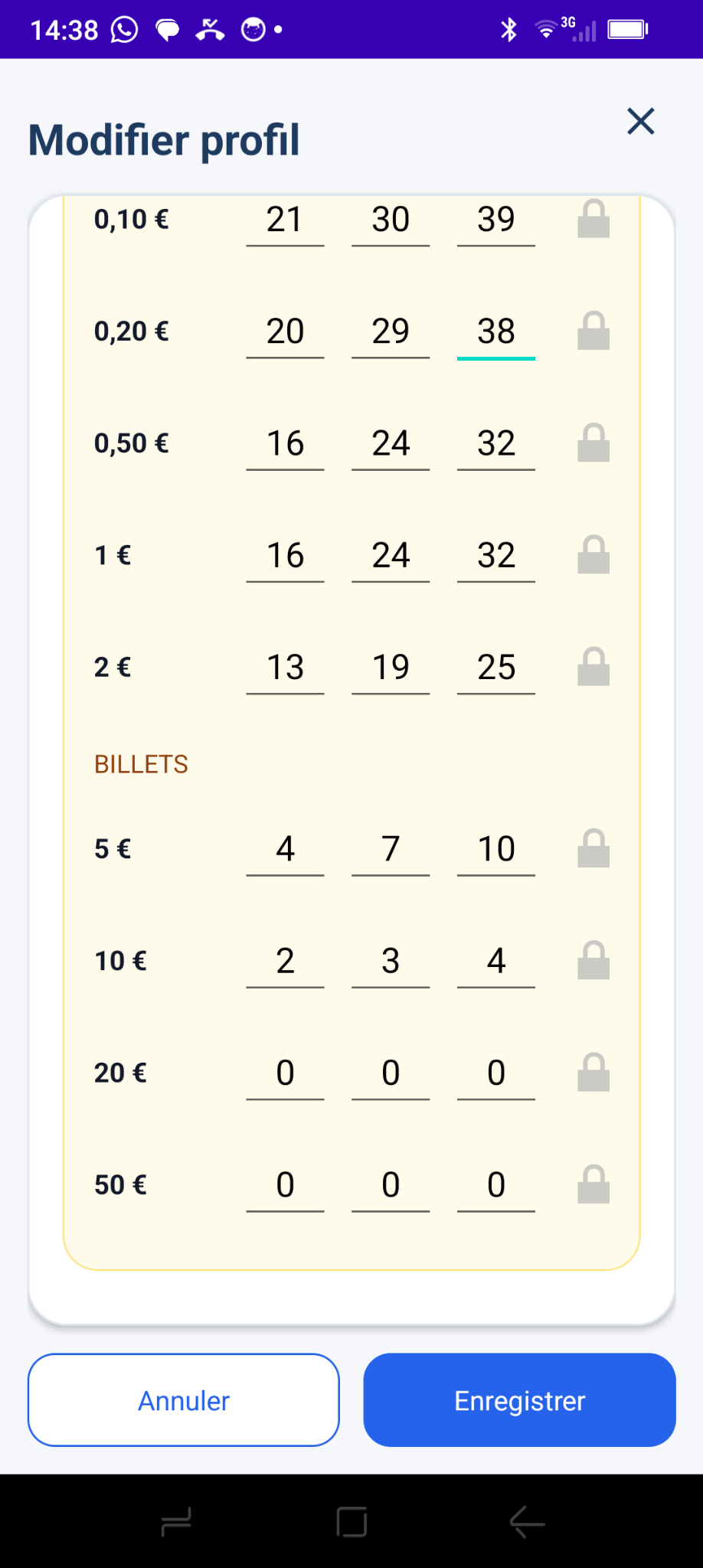
Set ideal quantities for each denomination, within minimum and maximum limits. The app recalculates other denominations as you change a value, respecting locked values and the target total. When building the float, it finds a suitable mix from the available cash.
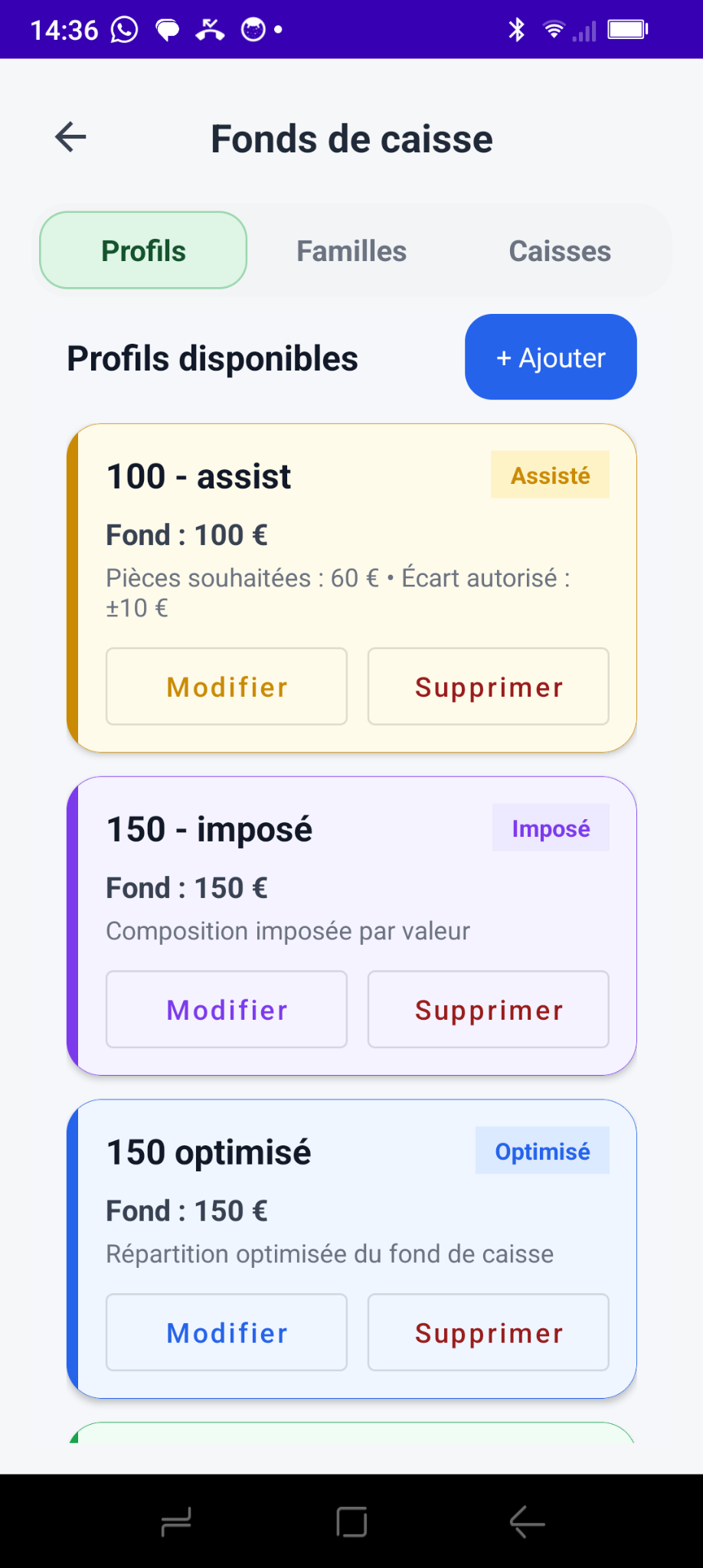
Create up to ten float profiles, edit them as required and choose the one applied to all cashiers and registers.
No register directory is required: all four methods and the default general profile work with Commerce Pack.
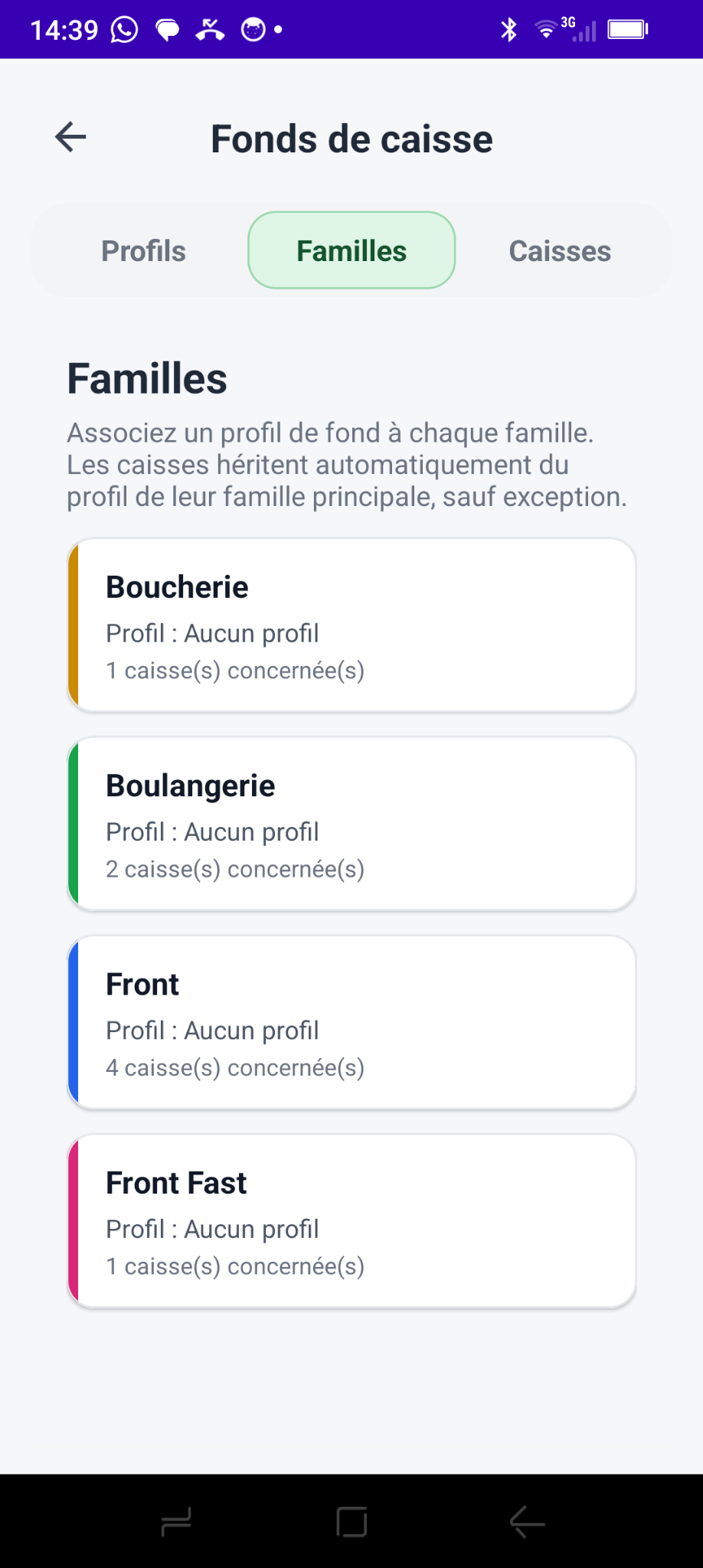
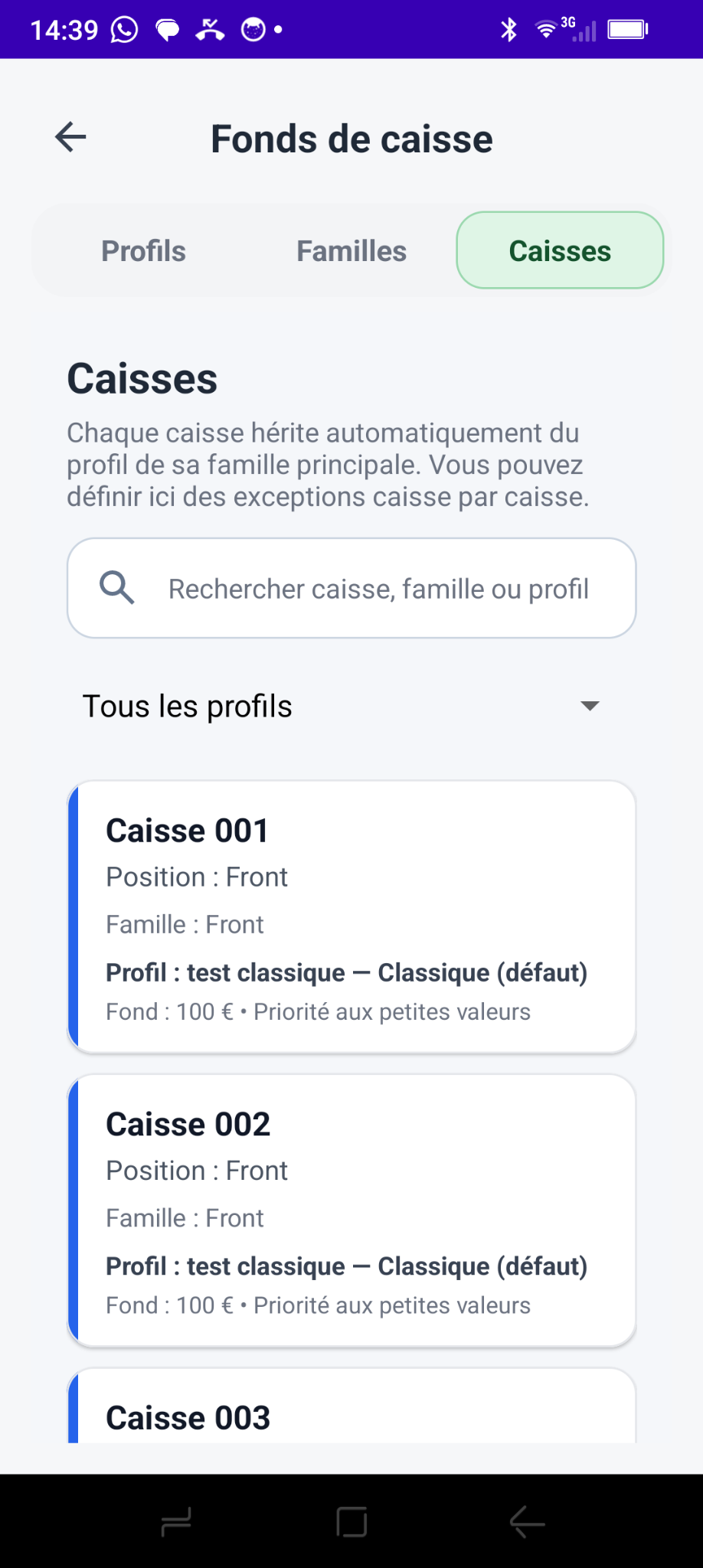
With the Register directory, available as a Premium option in the higher pack, each group can have its own profile and each register an individual exception.
From the market standard to optimized composition, Monetec turns closing into a guided procedure tailored to your business.